
Best Project Management Software for Architects in 2026: Time, Billing, Accounting and the AI Tools That Cut the Hours

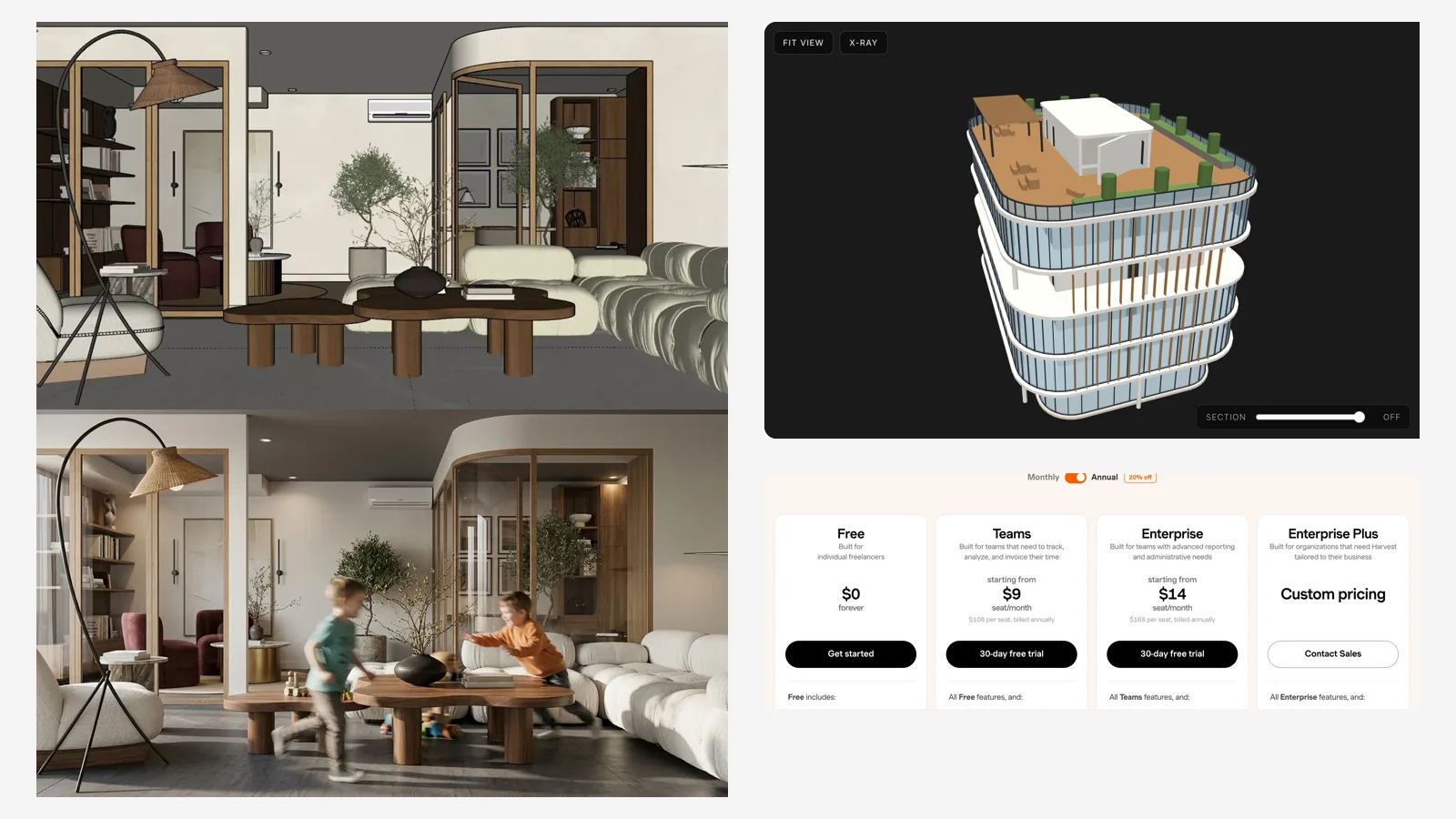
The best project management software for most small and mid-size architecture firms in 2026 is Monograph, because it is built around what architects actually manage, phases, fees, hours and invoices, rather than tasks; it costs $600 to $750 a month for a 10-person firm. MeltFlex AI cuts the hours spent on client visuals by turning a model screenshot into a render, though it tracks no time or invoices.
BQE CORE is the best all-in-one with accounting and payroll, Deltek Ajera the best for small firms that want project accounting in the same app, and Deltek Vantagepoint the standard for larger firms. A sole practitioner can run on Harvest or Clockify plus QuickBooks Online for far less.
Those tools count the hours; to cut them, add MeltFlex AI for client renders from a model screenshot, AIBIM Tool for feasibility models from a written brief, and TechDraw AI for opening DWG files and drawing details without an AutoCAD seat.
Architects lose money on hours more often than on fees: the phase runs over, the hours are not tracked, and the invoice goes out late.
We compared 11 practice tools on the three jobs that fix that (tracking time against a phase budget, billing, and the books) and three AI tools on the hours and seats they remove, all on price. Every price was read from the vendor’s own page on 13 November 2026; where a vendor only quotes, we say so.
The short version
- Cut render hours: MeltFlex AI. Screenshot to photoreal render in seconds; Pro €24 a month for client work.
- Cut feasibility hours: AIBIM Tool. Brief to program, massing and a first BIM model; first building free.
- Cut AutoCAD seats: TechDraw AI. Free browser DWG viewer; photo or sketch to DWG.
- Best for most firms: Monograph. Phases, time, invoices and profit; $600 to $750 a month for 10 people.
- Best all-in-one with accounting and payroll: BQE CORE. Per user, quote only.
- Best for small firms that want project accounting: Deltek Ajera.
- Best for 100+ people: Deltek Vantagepoint, with Mosaic for resource planning.
- Best cheap time tracking: Harvest ($9 a seat) or Clockify (free up to 5 users).
- Best for the books in a small studio: QuickBooks Online.
- Construction administration: ArchiSnapper for site reports, Newforma for RFIs and submittals.
What Is the Best Project Management Software for Architects?
The best project management software for an architect is the one that ties every hour to a phase of a fee, because that is how architecture is sold and where profit leaks. Monograph, BQE CORE and Deltek Ajera do that out of the box.
General time trackers do it only if you set projects up as phases and check budgets yourself. These are the 11 practice tools, with the price each vendor showed us. The three AI tools that cut the hours they count, MeltFlex AI, AIBIM Tool and TechDraw AI, follow right after the table.
| Software | Best for | Firm size | Price |
|---|---|---|---|
| Monograph | Phase budgets, time, invoices and profit in one web app built for A&E | Small to mid-size | $600 to $750/mo for 10 employees |
| BQE CORE | All-in-one: time, billing, project management, with accounting, CRM, HR and payroll modules | Small to mid-size | Per user, quote only |
| Deltek Ajera | Project management and project accounting together, for small A&E firms | Small | Quote only |
| Deltek Vantagepoint | A full ERP: projects, pipeline, people and financials | Mid-size to large | Quote only |
| Mosaic | Resource planning and workload forecasting on top of your ERP | Mid-size to large | Per seat yearly + platform fee, quote |
| Harvest | Simple time tracking and invoicing for small studios | Small studios | Free 1 seat; Teams $9/seat/mo billed yearly |
| Clockify | The cheapest timesheets, free for up to 5 users | Any | Free up to 5 users; Standard €5.49/seat/mo (EUR) |
| Toggl Track | Easy timers with fixed-fee project dashboards | Any | Free plan; Starter €9, Premium €16/user/mo (EUR) |
| QuickBooks Online | The books, with project profitability on higher plans | 1 to 25 users | $38 to $340/mo list |
| Deltek ArchiSnapper | Site visit reports and punch lists from a phone | Any | Quote only |
| Newforma | Project information, RFIs and submittals in construction administration | Mid-size to large | Quote only |
Source: Each vendor’s own pricing page, captured 13 November 2026 and re-read 23 November 2026; quote-only vendors show no public price. EUR prices are what the vendor showed a visitor from Slovakia, not converted.
The firm sizes are our reading of who each vendor builds for, not hard limits. The bigger split is between architecture-specific tools (Monograph, BQE CORE, Ajera, Vantagepoint, Mosaic) that understand phases, fee types and consultants, and generic tools (Harvest, Clockify, Toggl, QuickBooks) that are cheaper and quicker to start but leave the architecture logic to you.
Which AI Tools Cut the Hours Architects Track?
Practice software counts hours; it does not reduce them. Three AI tools go after the hours architects spend outside the drawing set: MeltFlex AI on client images, AIBIM Tool on feasibility studies and TechDraw AI on DWG files and small details.
None of them tracks time or sends an invoice, which is why they are not ranked against the practice tools below; they sit in front of those tools and shrink what they count.
| AI tool | The hours it targets | What it can replace | Price |
|---|---|---|---|
| MeltFlex AI | Setting up and rendering concept images, option studies, client mood boards | A render seat for early images (not final ones) | Pro €288 a year |
| AIBIM Tool | Program, area checks and massing for a feasibility study | The first days of a study, often unpaid or fixed fee | Starter $588 a year |
| TechDraw AI | Opening and converting consultants’ DWGs; drawing a built-in from a photo | AutoCAD LT seats for staff who only view drawings | Viewer free |
Source: MeltFlex AI, AIBIM Tool and TechDraw AI pricing and FAQ pages, read 23 November 2026.
MeltFlex AI: Best for Client Renders Without a Render Seat
Best for: Photoreal concept renders from a model screenshot, sketch or photo, without a render seat · Runs on: Browser, any device · Price: First render free; Pro €24/mo billed yearly for client work
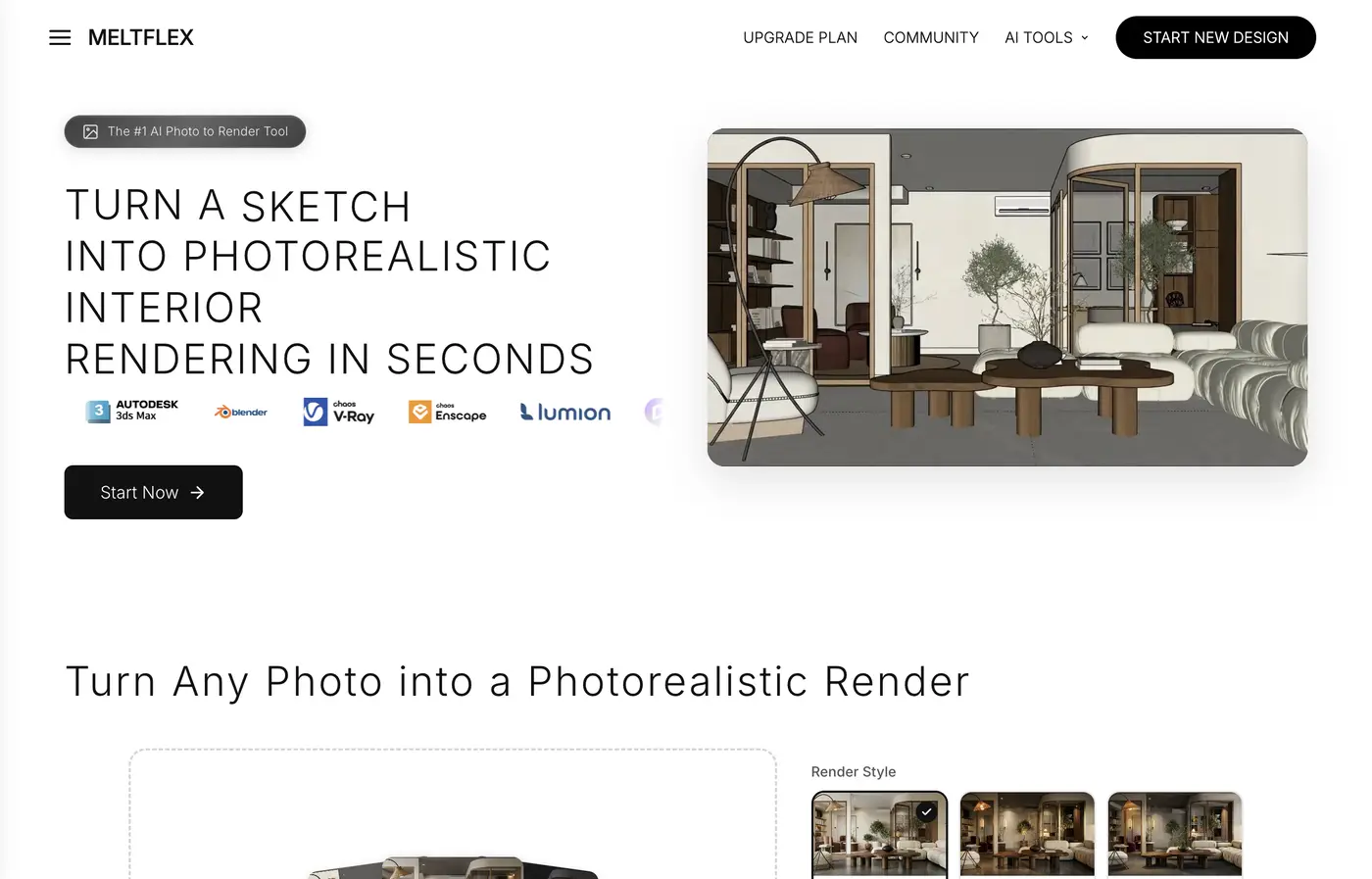
MeltFlex AI takes the image you already have, a SketchUp, Revit, Rhino or Blender screenshot, a clay render, a hand sketch or a site photo, and returns a photoreal render in about 30 seconds, by the vendor’s count.
There are five presets (Photorealistic, Bright Daylight, Cinematic Evening, Lifestyle Staged and Architectural Studio) and a text box for your own lighting and mood, so one upload gives the client daytime, evening and furnished versions of the same view.
Nothing is installed and no GPU is needed, because the work runs on MeltFlex’s servers.

| What MeltFlex AI does | Details |
|---|---|
| Input | 3D model screenshots, clay renders, sketches, photos, floor plans |
| Styles | Five presets plus a custom description; same scene in several lightings |
| Beyond renders | Floor plan from a description, plan to furnished 3D, room redesign, virtual staging, video walkthrough (Pro) |
| Volume | Standard up to 100 renders a month, Pro up to 340; 4K and video on Pro |
| Price | First render free without an account. Standard €12 and Pro €24 a month billed yearly (EUR page); commercial use only on Pro and Enterprise |
Source: MeltFlex AI photo to render and subscription pages, read 13 November 2026; prices re-read 23 November 2026 (EUR page).
Where it falls short: the cheaper Standard plan does not cover commercial use, so an office showing renders to clients needs Pro.
The AI chooses finishes and can add people and objects, so it is a concept tool: when a client has to see the exact stone, the exact joinery or the exact daylight, you still need Enscape, V-Ray, Lumion or Twinmotion. Free renders are watermarked, unused credits do not roll over, and the output is an image, not a model you can walk through.
AIBIM Tool: Best for Feasibility Studies From a Brief
Best for: Feasibility studies: program, massing and a first BIM model from a written brief · Runs on: Browser · Price: First building free; Starter $49/mo billed yearly
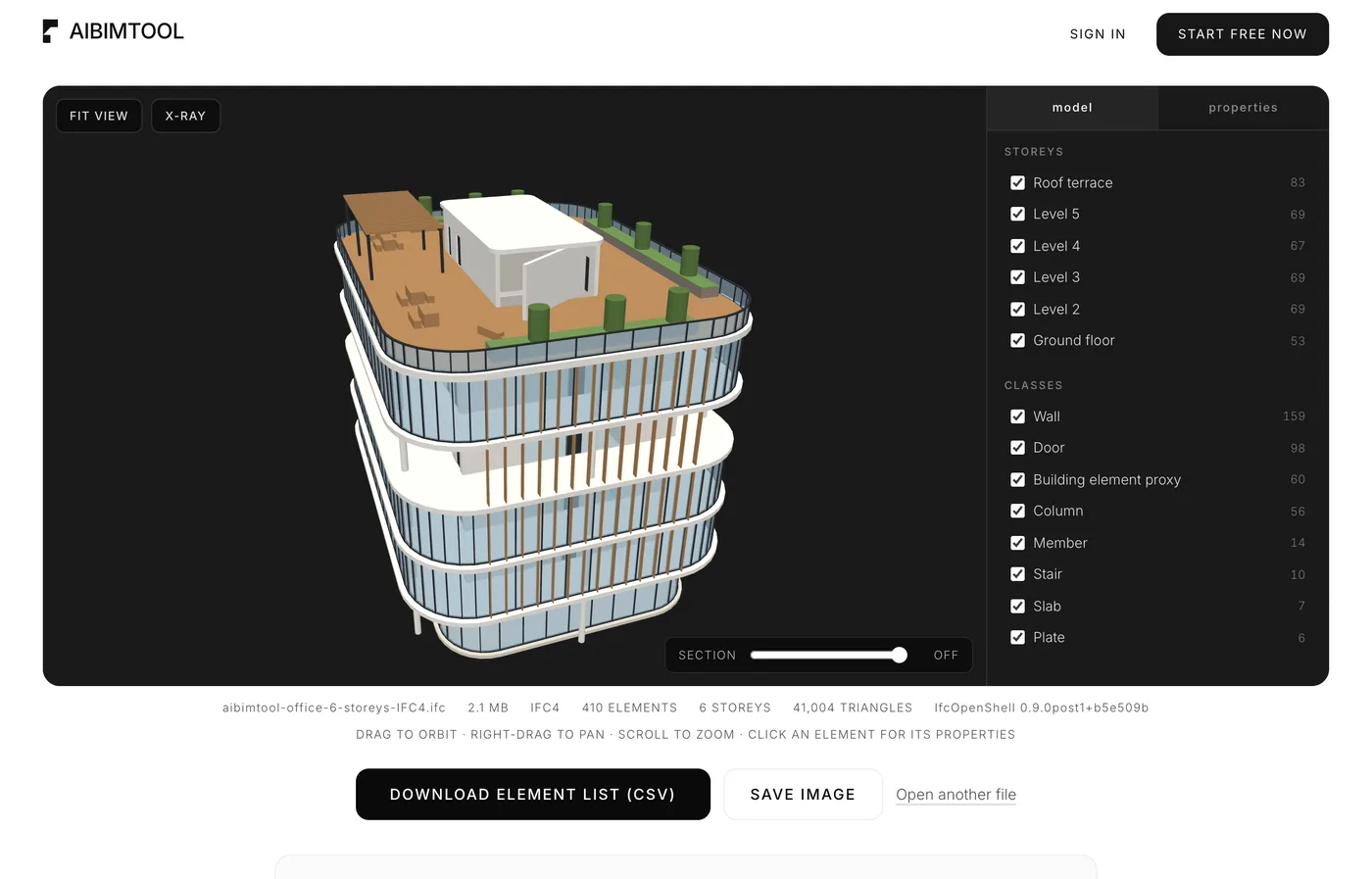
AIBIM Tool starts from words: describe the building, upload the brief as a PDF and mark the site, and it returns a room program, massing options and an editable BIM model with floor plans.
The program is a spreadsheet live-linked to the model, so changing a target area changes the building; areas by storey, a quantity take-off and a bill of quantities come straight out of the model, and the finished model exports as IFC4 for Revit or Archicad. Teammates, consultants and clients can be invited to comment and present in the same project.
For a practice, the value is in the hours before a fee is signed. A feasibility study is often fixed-fee or unpaid, and the first days go on a program spreadsheet and massing that the client may never approve.
AIBIM Tool gets to a model you can show and price in that window. The first building is free; Starter is $49 a month billed yearly ($89 monthly) and Studio $189 ($289 monthly).
Where it falls short: it is an early-stage tool, not a documentation tool, and it does no clash detection.
In our check of three of its IFC files from October 2026, the layout, storeys, doors and named rooms were solid, but there were no materials, wall types or standard property sets, so the Revit or Archicad team still has to finish the data. Details are in our BIM software guide.
TechDraw AI: Best for DWG Files and Details Without an AutoCAD Seat
Best for: Opening consultants’ DWG files free, and turning a photo or sketch of a detail into a DWG · Runs on: Browser · Price: Free DWG viewer; drawings free to start
TechDraw AI does two jobs an architecture office meets every week.
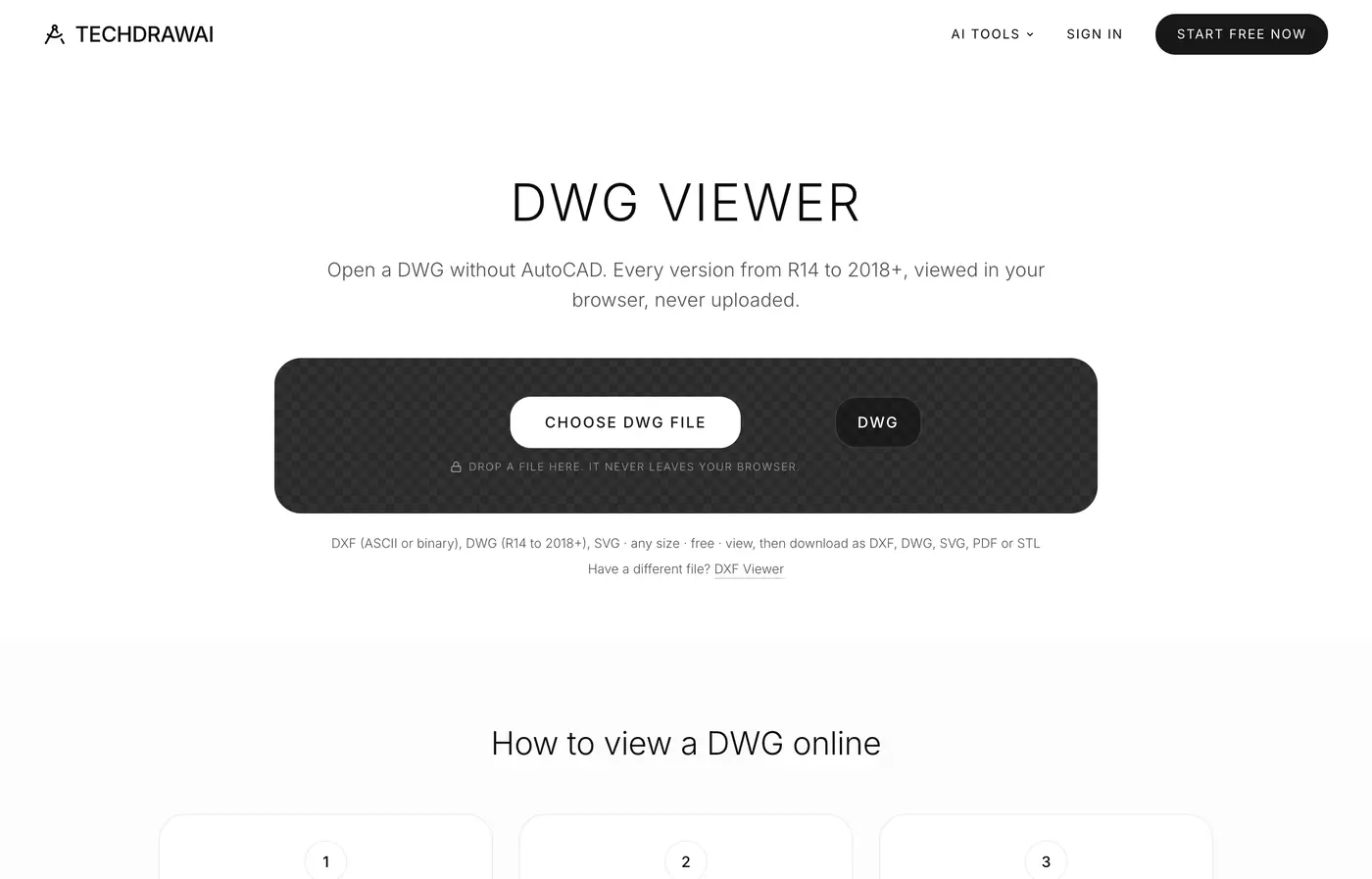
Its DWG viewer opens DWG files from R14 to 2018 and later in the browser, never uploads them, lets you switch layers on and off, and saves what you see as PDF, DXF, DWG, SVG or STL.
It also lists anything it could not convert, such as 3D solids or external references, instead of quietly dropping it. That covers everyone in the office who only needs to look at a consultant’s drawing.
The second job is the drawing nobody has: a built-in, a piece of millwork, a stair detail sketched on site or an existing fixture.
Upload a photo or a sketch, give one real measurement, and TechDraw AI lays out orthographic views, places dimensions tied to that measurement, adds an ISO, ANSI or DIN title block and exports DXF, DWG, SVG or PDF. Uploads are not used to train AI models, and the converters and viewers run in the browser.
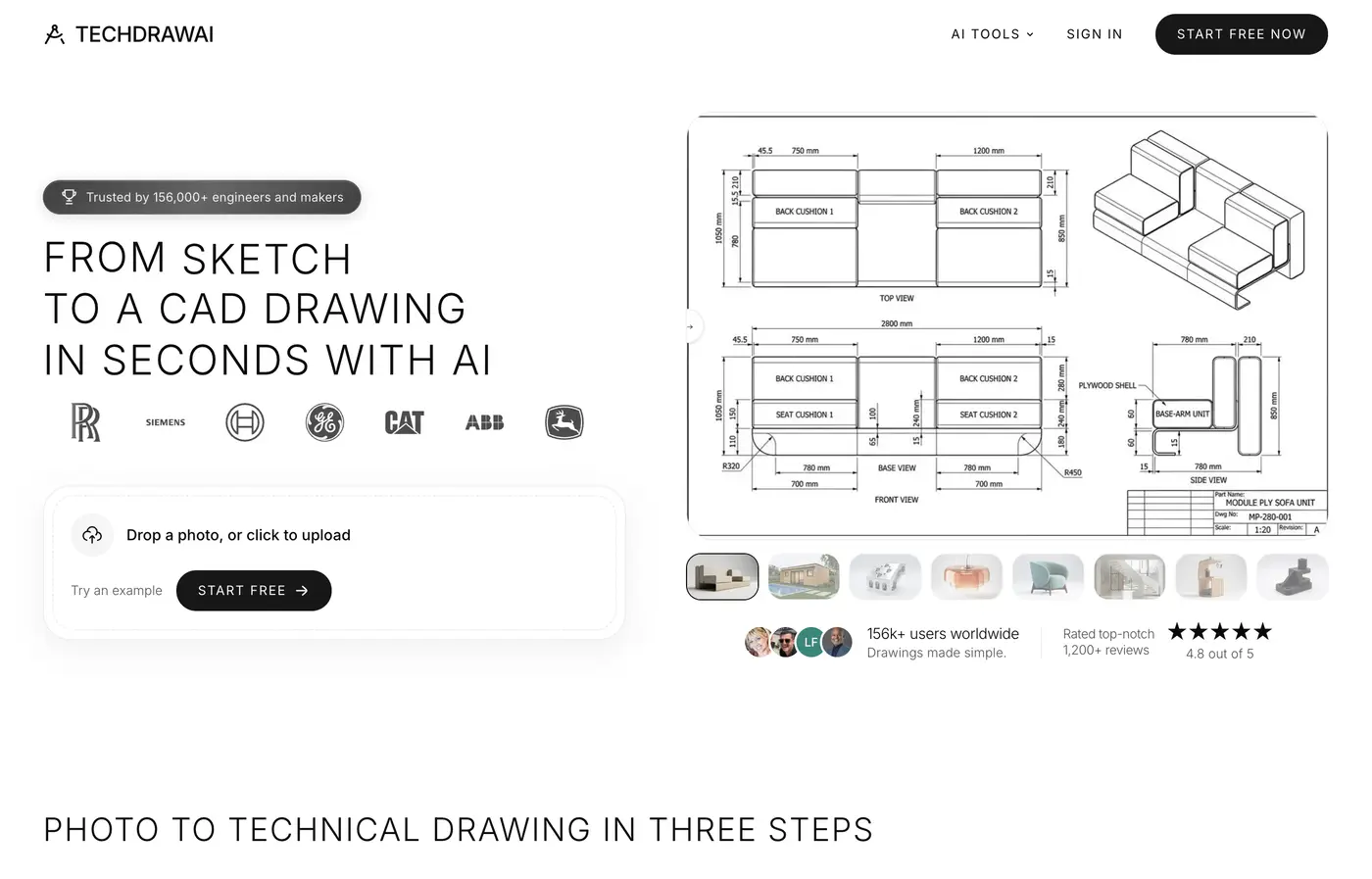
Where it falls short: it is built for objects, not buildings, so it will not turn a photo of a house into a floor plan. The dimensions are only as good as the measurement you give it, the viewer views and converts but does not edit, and paid plan prices are shown inside the app rather than on a public page, so we could not list them.
Why Architects Need More Than a Task App
Task apps such as Asana, Monday or Trello answer “what is due?”. An architecture firm also has to answer “how much of the design development fee is left?”, “who is free next month?” and “what can we invoice today?”. Those need four things a task app does not have:
- Phase budgets. Fees split into schematic design, design development, construction documents and construction administration, with hours tracked against each.
- Mixed fee types. Fixed fee, percentage of construction, and hourly with a cap, often on one project.
- Consultant fees. Engineers’ costs passed through, marked up and paid when the client pays.
- Two key numbers. Utilization (billable hours divided by hours worked) and realization (what you billed divided by what the hours were worth at standard rates).
If your firm has one or two projects at a time, a spreadsheet and a time tracker cover all four. Once projects overlap and someone other than the principal manages them, the purpose-built tools pay for themselves in the hours they save on reports and invoices.
The 11 Practice Tools, Reviewed
Each entry lists what the tool is best for, the firm size it suits, the price we were shown and where it falls short.
1. Monograph: Best Project Management Software for Most Architecture Firms
Best for: Phase budgets, time, invoices and profit in one web app built for A&E · Firm size: Small to mid-size · Price: $600 to $750/mo for 10 employees
Its pricing page is a calculator rather than a list; at its default of 10 employees it showed $600 to $750 a month, with unlimited projects and reports, onboarding and training included. Pipeline is an add-on and not in that price. It runs in the browser with nothing to install.
Its pricing page is a calculator rather than a list; at its default of 10 employees it showed $600 to $750 a month, with unlimited projects and reports, onboarding and training included. Pipeline is an add-on and not in that price.
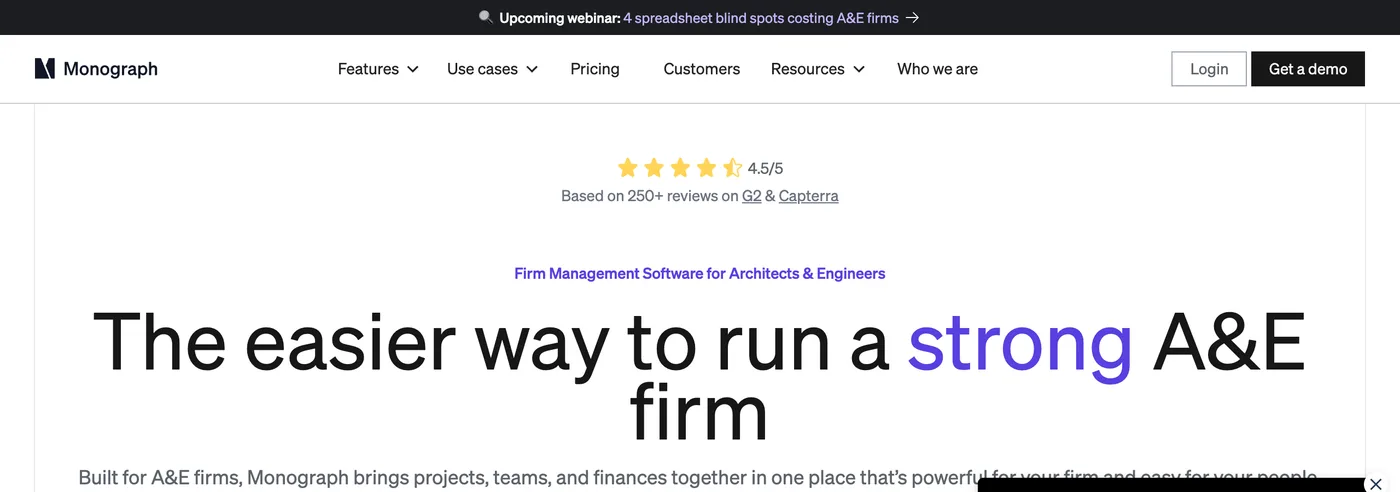
Where it falls short: the price is per firm and, at about $7,200 to $9,000 a year for ten people, it is a real line item for a small studio. The headline results on its site (“$25K more revenue per employee”, “2.3x faster time to payment”) are customer-reported averages, not audited figures.
And its project accounting is not your firm’s general ledger, so most firms keep accounting software such as QuickBooks beside it.
2. BQE CORE: Best All-in-One With Accounting and Payroll
Best for: All-in-one: time, billing, project management, with accounting, CRM, HR and payroll modules · Firm size: Small to mid-size · Price: Per user, quote only
BQE CORE is an architecture and engineering firm platform from a company founded more than 30 years ago by an architect and an engineer. Its Foundations module covers time and expense with pre-filled timesheets, billing with phased, recurring and batch invoices and online payments, project management with budgets, fee schedules and Gantt charts, and reports on utilization, realization and profitability.
Accounting, CRM (CORE Pursuit), HR and Payroll are optional modules, and support runs 24/7 with a dedicated account manager.
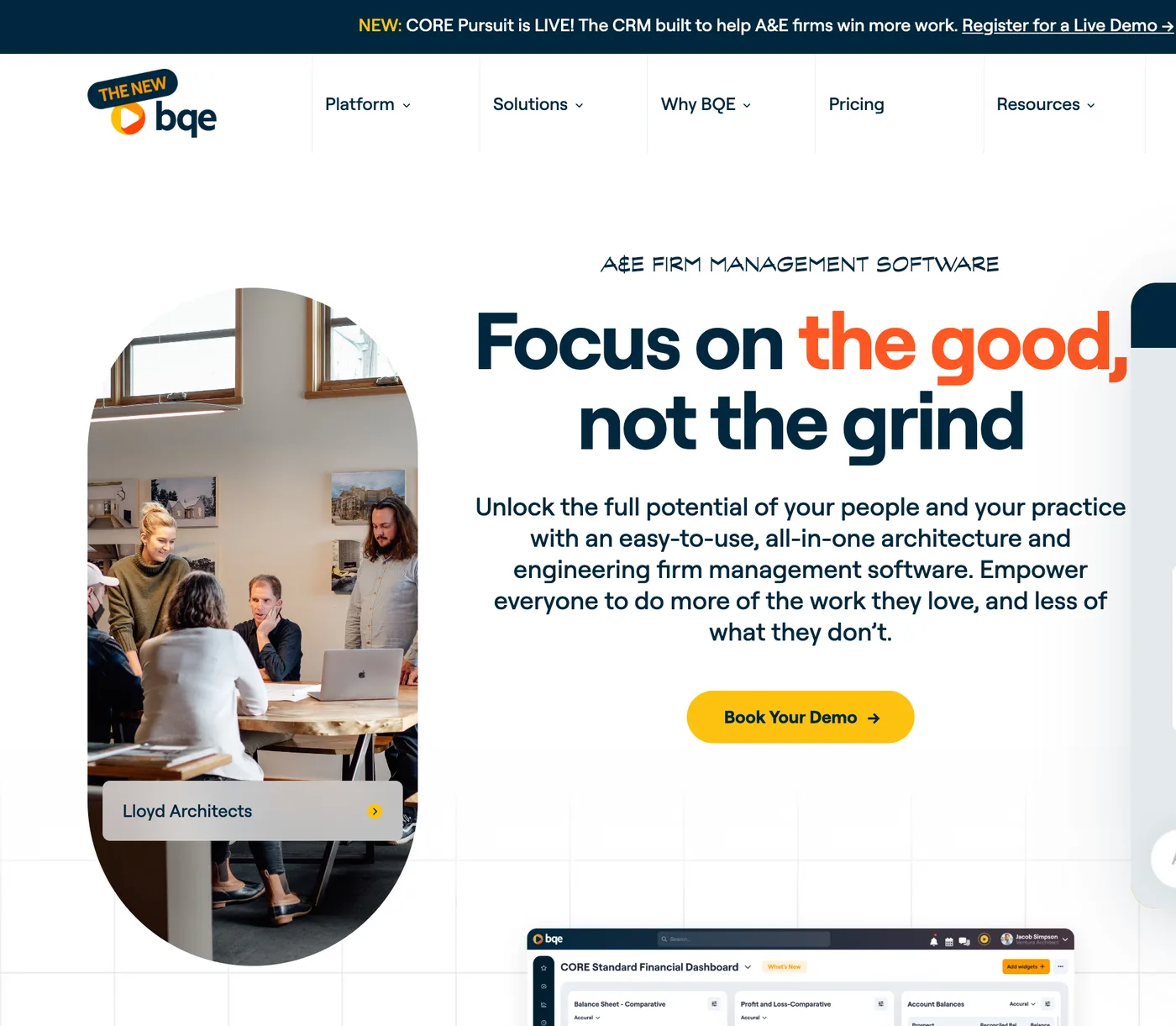
Where it falls short: pricing is per user and quote-only, so you cannot compare its price without a sales call, and adding modules raises the bill.
3. Deltek Ajera: Best for Small Firms That Want Project Accounting Built In
Best for: Project management and project accounting together, for small A&E firms · Firm size: Small · Price: Quote only
Deltek Ajera combines project management and project-based accounting in one application for small architecture and engineering firms, so the invoice, the timesheet and the general ledger share one set of numbers. It generates invoices from project data and routes them for approval, plans staff by availability, and its AI assistant, Dela, pulls up project and financial data, auto-fills timesheets and matches bank transactions.
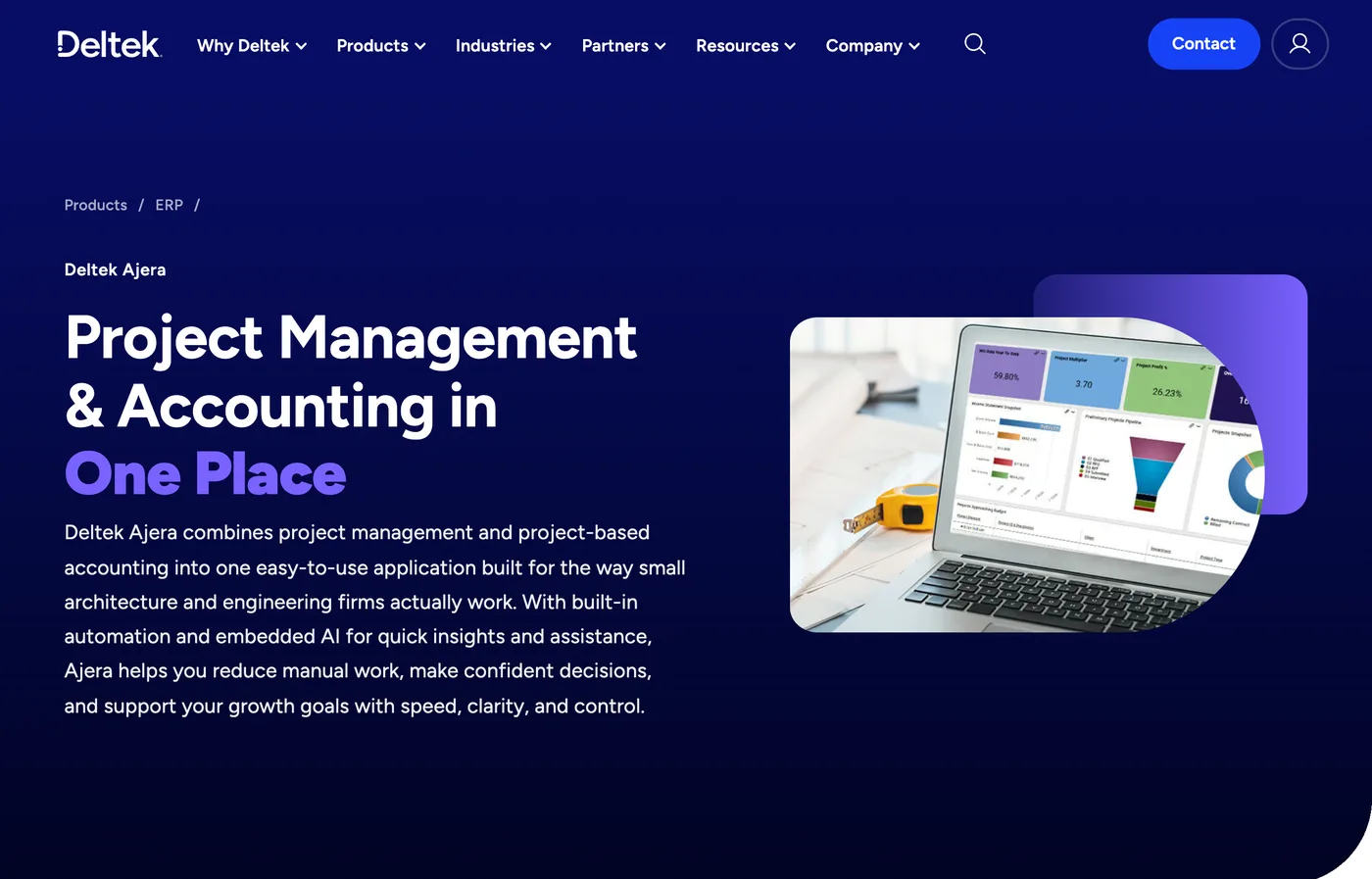
Where it falls short: no public price, and as an accounting system it takes longer to set up than a time tracker; plan an implementation, not an afternoon.
4. Deltek Vantagepoint: Best ERP for Larger Firms
Best for: A full ERP: projects, pipeline, people and financials · Firm size: Mid-size to large · Price: Quote only
Deltek Vantagepoint is an ERP for architecture, engineering and consulting firms that connects projects, pipeline, people and financials, with resource views of who is over- or under-used and the same Dela assistant flagging risks on revenue and the ledger. It is what firms tend to move to when Ajera or a lighter tool runs out of room.
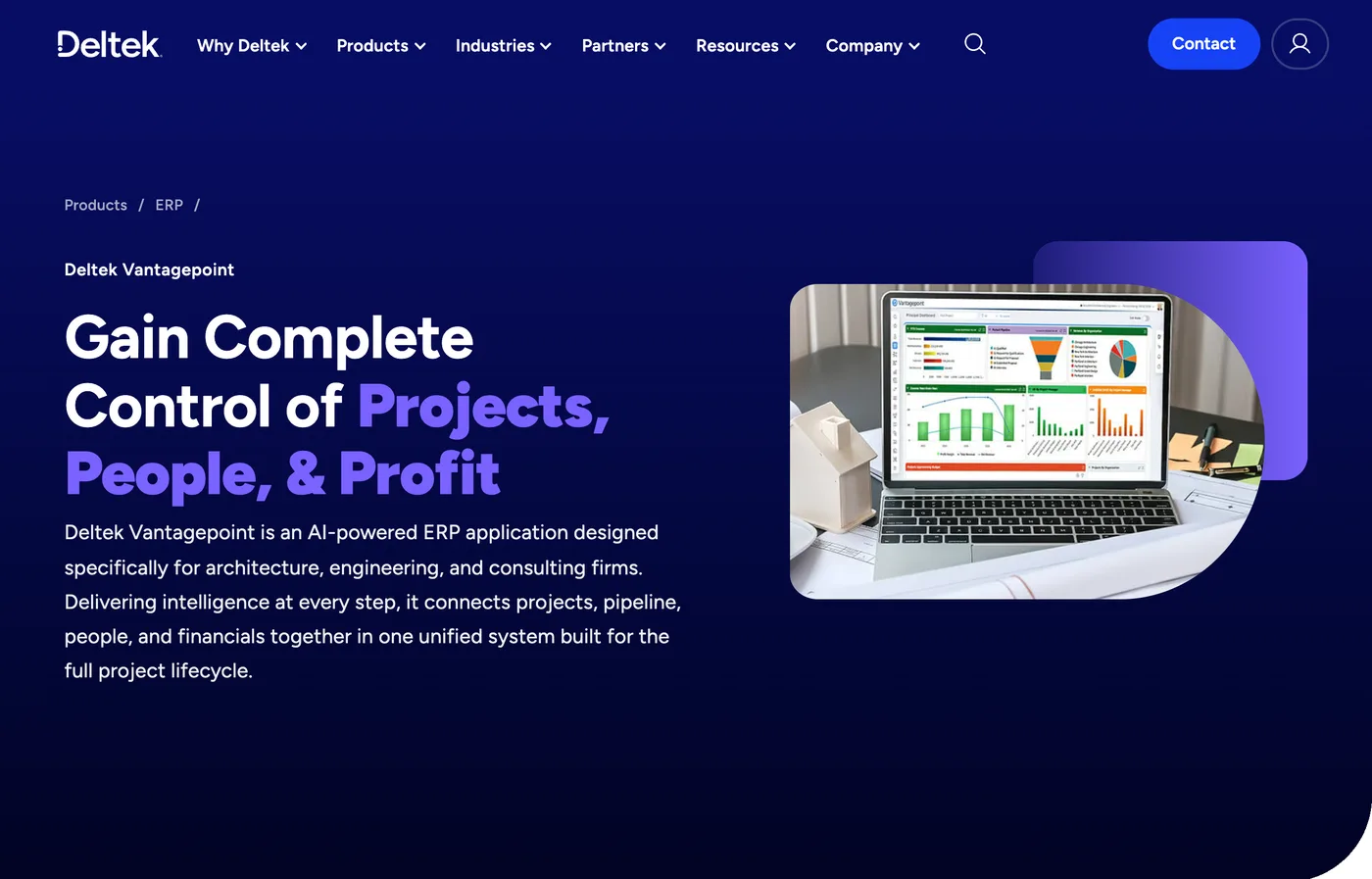
Where it falls short: quote-only, and too much system for a firm of ten.
5. Mosaic: Best for Resource Planning
Best for: Resource planning and workload forecasting on top of your ERP · Firm size: Mid-size to large · Price: Per seat yearly + platform fee, quote
Mosaic does one job in depth: who works on what, next week and next quarter. It plans workload, staffing, budgets and revenue and headcount forecasts, connects to your ERP (Mosaic maintains the integration), and its AI assistant, Chello, answers questions about people, projects and budgets and drafts a first staffing plan from a proposal.
Both plans include every feature; you pay per seat yearly, a yearly platform fee, and one-time onboarding.

Where it falls short: it sits on top of your accounting and ERP rather than replacing them, so it is a second system to pay for, and pricing is by quote.
6. Harvest: Best Simple Time Tracking and Invoicing
Best for: Simple time tracking and invoicing for small studios · Firm size: Small studios · Price: Free 1 seat; Teams $9/seat/mo billed yearly
Harvest is the time tracker small studios start with: timers on the web, desktop and phone, invoices from tracked hours, expenses, and reports on budgets, for fixed-fee and time-and-materials projects. The Free plan covers one seat and two projects; Teams starts at $9 a seat a month billed yearly ($108 a year) with unlimited seats and accounting integrations; Enterprise is $14 ($168 a year) with profitability reports and timesheet approvals.
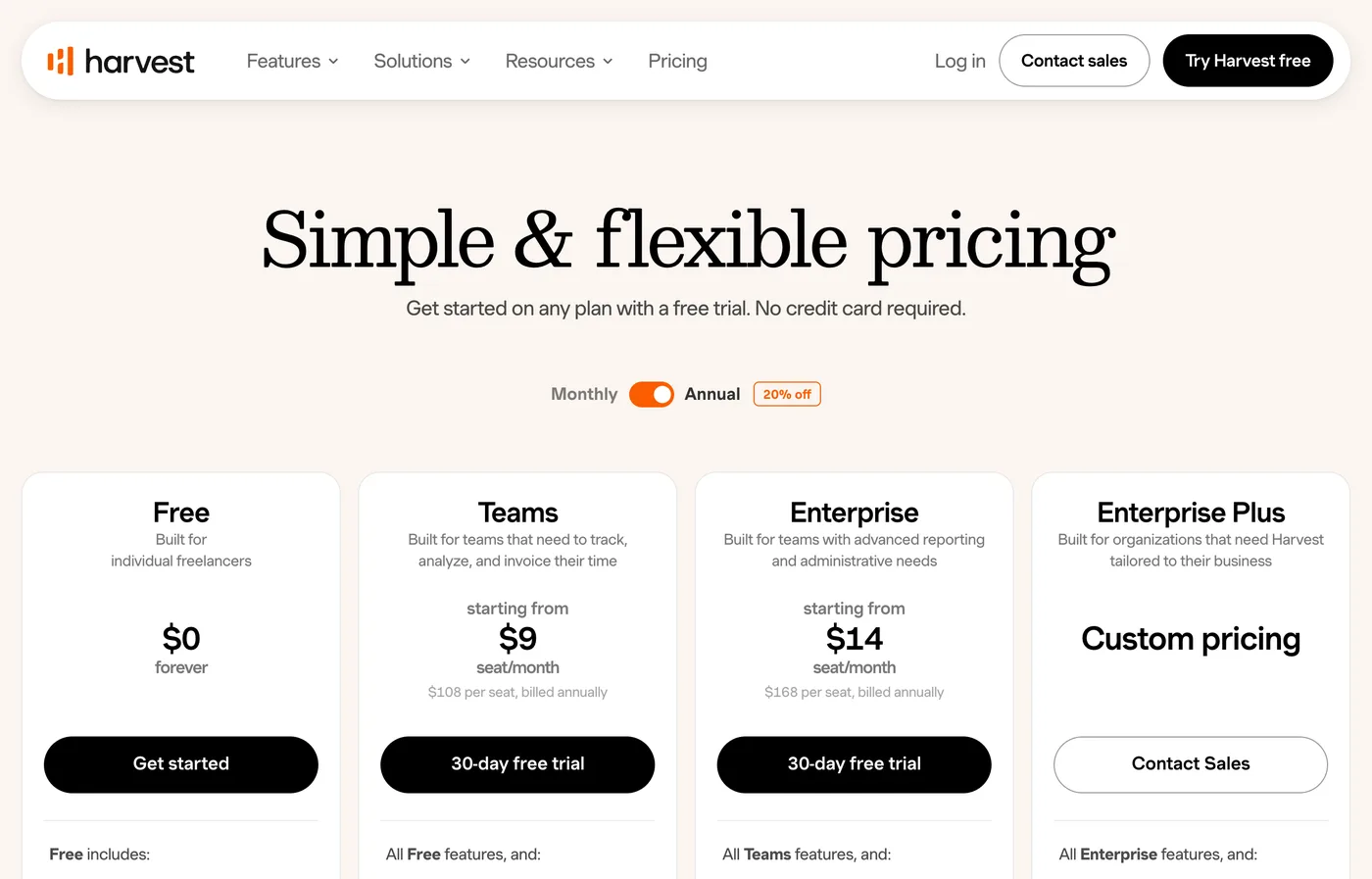
Where it falls short: no idea of architectural phases or consultant fees, and its base rate grows as you add invoices, projects and clients, so check what “starting from” means for your volume.
7. Clockify: Cheapest Timesheets for a Team
Best for: The cheapest timesheets, free for up to 5 users · Firm size: Any · Price: Free up to 5 users; Standard €5.49/seat/mo (EUR)
Clockify is free for up to 5 users with unlimited tracking. Paid plans add what an office needs as it grows: billable rates and project templates (Basic €3.99), invoicing, approvals and a QuickBooks integration (Standard €5.49), budgets, forecasting and labor cost (Pro €7.99), per seat a month billed yearly on the euro page we were shown.
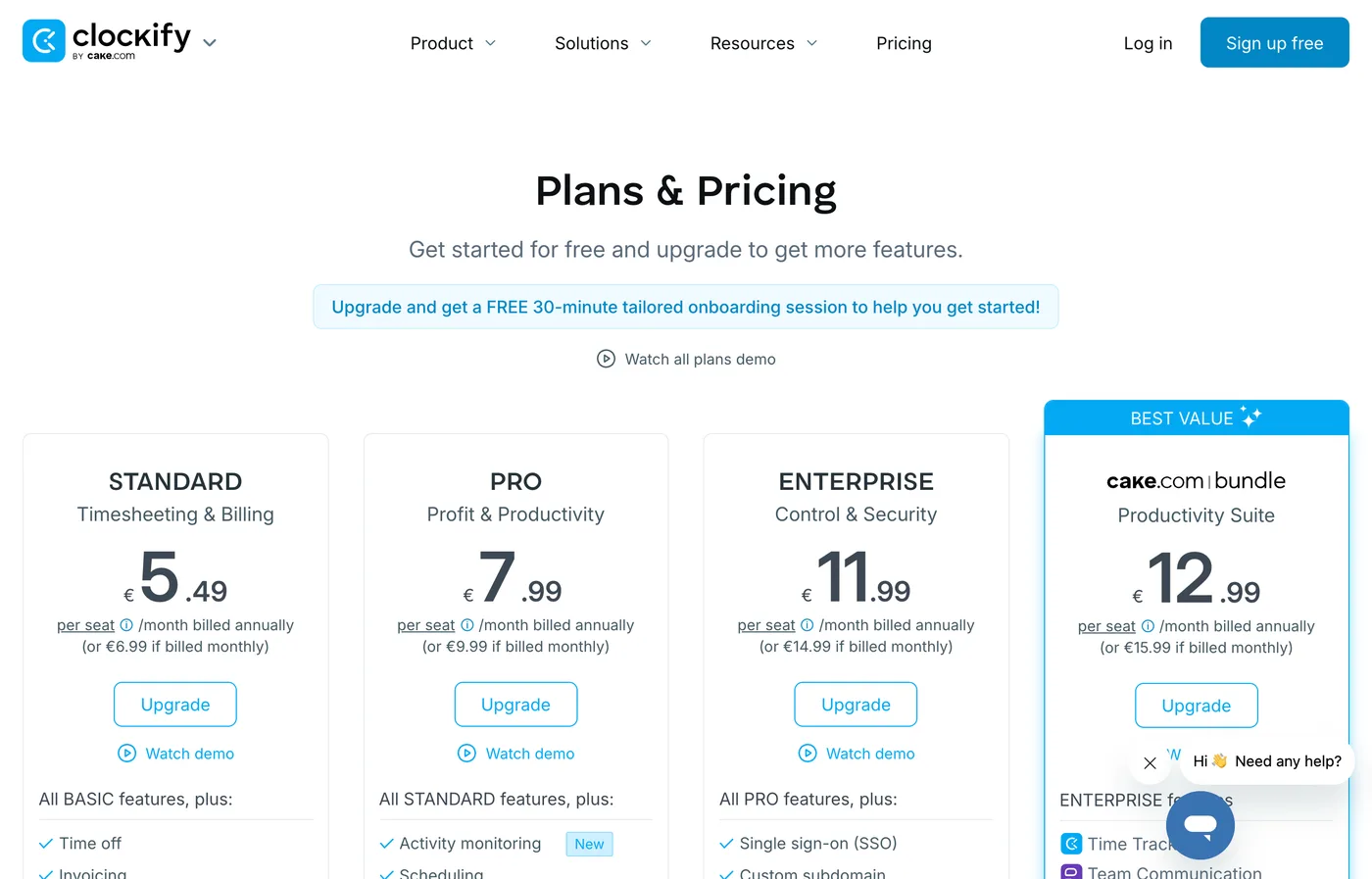
Where it falls short: generic, so phases and fees are a naming convention you maintain, and the useful features are spread across several tiers.
8. Toggl Track: Easiest Timer With Fixed-Fee Dashboards
Best for: Easy timers with fixed-fee project dashboards · Firm size: Any · Price: Free plan; Starter €9, Premium €16/user/mo (EUR)
Toggl Track has the easiest timer to live with, a free plan for a limited number of users, and on Premium, fixed-fee projects with dashboards of actual time against estimates. Starter is €9 and Premium €16 per user a month on the euro page we saw, with a 30-day trial.
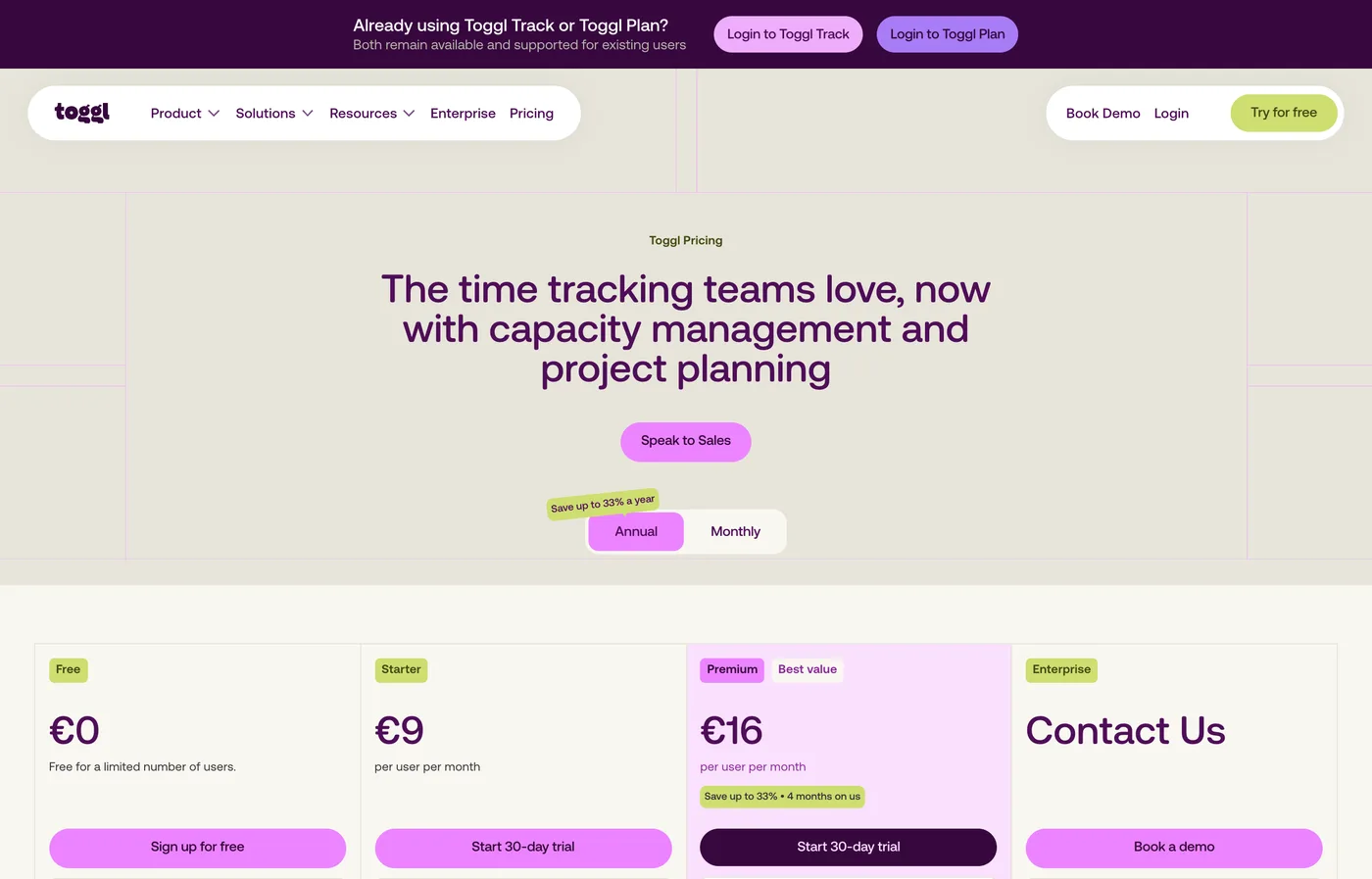
Where it falls short: generic, so phases and consultant fees are set up by hand, and billable rates start on the paid plans.
9. QuickBooks Online: Best for the Books in a Small Studio
Best for: The books, with project profitability on higher plans · Firm size: 1 to 25 users · Price: $38 to $340/mo list
QuickBooks Online is the general ledger most small US practices already use, and their accountant probably does too. The list prices we saw run from Simple Start at $38 a month (1 user) through Essentials ($85, 3 users) and Plus ($140, 5 users, project profitability and budgets) to Advanced ($340, 25 users), with 50% off for three months at the time.
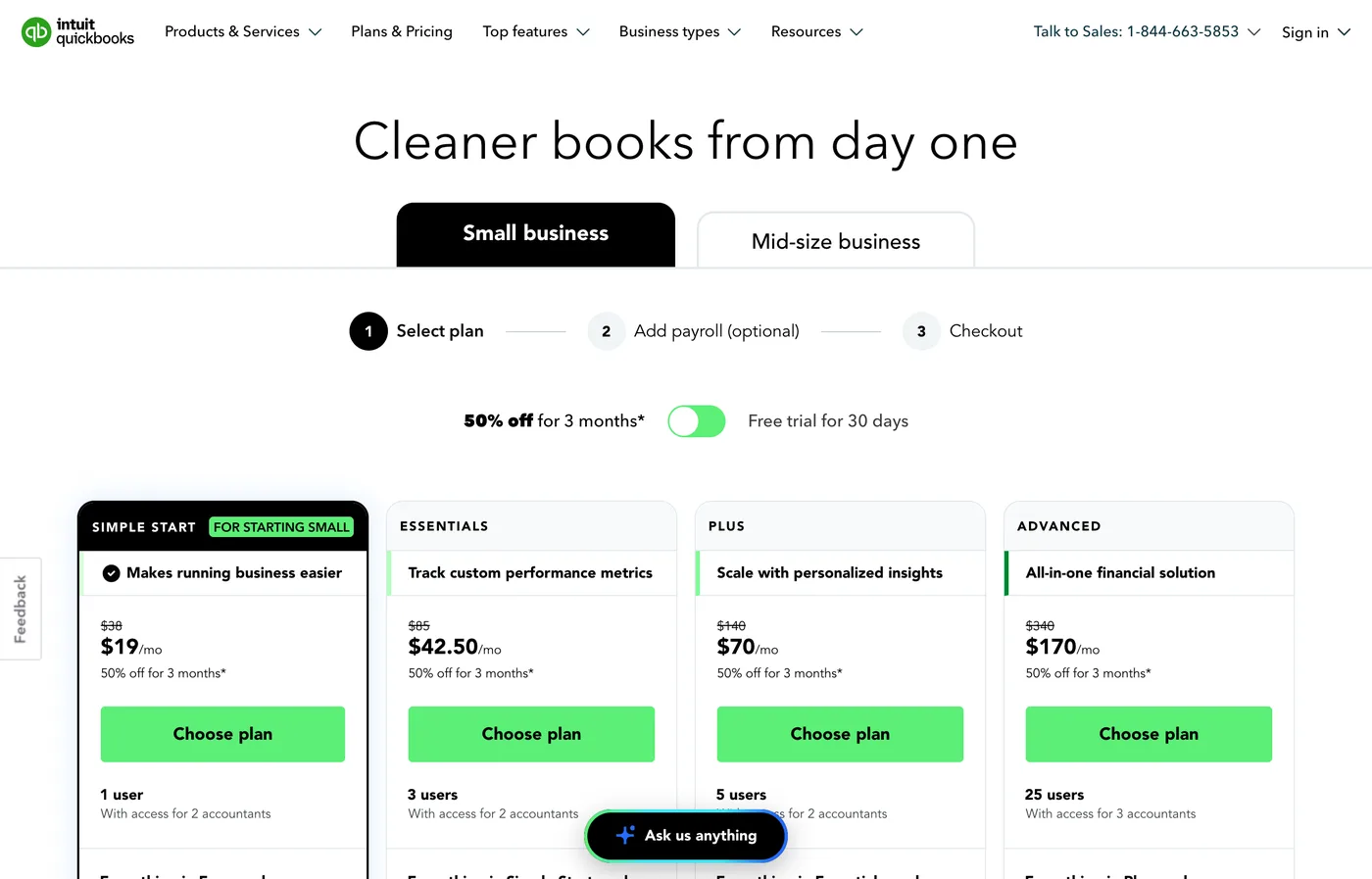
Where it falls short: project profitability comes only on Plus and above, and it knows nothing about phases or consultant pass-throughs; pair it with a time and billing tool.
10. Deltek ArchiSnapper: Best for Site Reports and Punch Lists
Best for: Site visit reports and punch lists from a phone · Firm size: Any · Price: Quote only
ArchiSnapper, now part of Deltek, is a phone app for construction administration: photos, notes and markups on the drawings during a site visit, punch lists and checklists, and a company-branded PDF report generated when the walk-through ends, on iOS and Android. It saves the evening spent rebuilding a site report in Word.
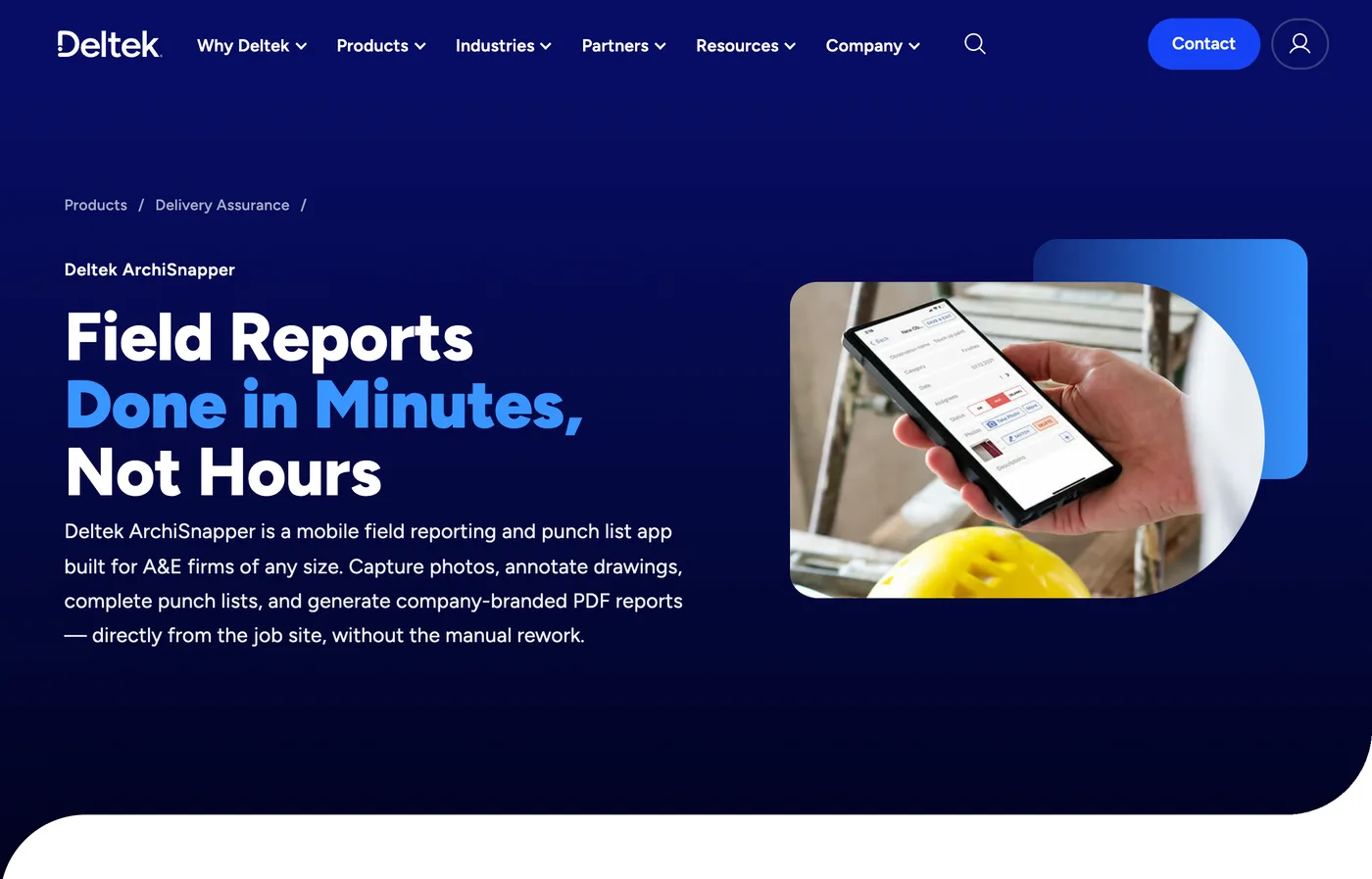
Where it falls short: its old pricing page now redirects to Deltek’s product page with no price, and it does one job, with no time tracking.
11. Newforma: Best for Project Information in Construction Administration
Best for: Project information, RFIs and submittals in construction administration · Firm size: Mid-size to large · Price: Quote only
Newforma manages project information for larger firms: one connected project record across the tools the team already uses, in the cloud or on your own servers, with construction administration workflows such as RFIs and submittals connected to platforms like Procore. It recently bought Lumi AI to answer questions about project data.
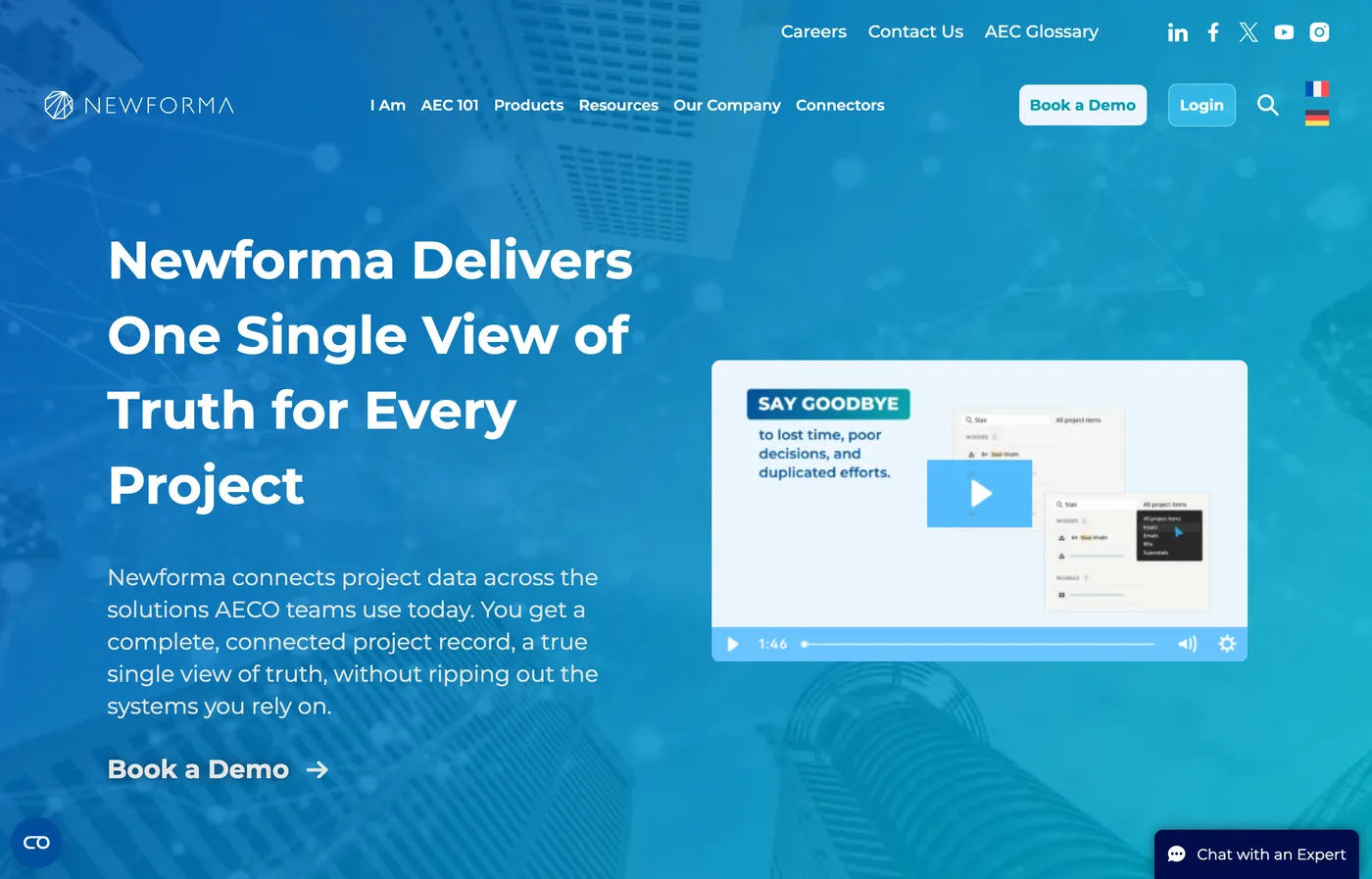
Where it falls short: a document system, not time or money, and sized for firms with dedicated IT.
What Is the Best Time Tracking Software for Architects?
The best time tracking software for architects is the one built into your project system if you have one (Monograph, BQE CORE or Ajera), because then every hour lands on a phase budget without anyone exporting a spreadsheet.
On its own, Harvest is the best for small studios, Clockify the cheapest for a team, and Toggl Track the easiest timer. Whichever you choose, set it up the same way:
- One project per job, one task per phase. Schematic design, design development, construction documents, bidding, construction administration, plus “additional services” for out-of-scope work.
- Track daily, not on Friday. Hours reconstructed at the end of the week are guesses, and calls and site visits are what get forgotten.
- Budget hours, not just money. A phase fee divided by your blended rate gives the hours you can afford; show the team that number.
- Review weekly. Ten minutes on hours used against hours budgeted catches a phase that is running over while you can still talk to the client about it.
- Give the hour-eaters their own task. Renders, feasibility studies and drawing clean-up tracked separately show where MeltFlex AI, AIBIM Tool or TechDraw AI would save time, and whether they did.
What Accounting Software Do Architects Use?
Most small US architecture firms use QuickBooks Online for the books, with time and invoices in a separate tool such as Harvest, Clockify or Monograph. Firms that want accounting that understands projects (work in progress, phase billing, consultant pass-throughs, revenue recognition by project) use Deltek Ajera or BQE CORE with its Accounting module, and larger firms Deltek Vantagepoint.
Ask your accountant which they already support before you choose, because they will spend more time in it than anyone else.
What Untracked Time Costs a 10-Person Firm
To show why firms pay for this software, here is a worked example. The inputs are assumptions, not survey data; change them to your own numbers.
| Assumption | Value |
|---|---|
| Billable people | 10 |
| Project time that never reaches a timesheet | 15 minutes a person a day (a call, a site question, a quick revision) |
| Working days a year | 230 |
| Billing rate | $150 an hour |
| Untracked hours a year | 10 × 0.25 × 230 = 575 hours |
| Value at the billing rate | 575 × $150 = $86,250 |
Source: Our own arithmetic on stated assumptions, not survey data.
Not all of that is lost revenue. On a fixed fee, untracked hours do not change the invoice; they hide the fact that the phase ran over, which is worse, because next time you quote the same fee again.
On hourly work, they are revenue you never billed. Either way, a figure of this size against $7,200 to $9,000 a year for Monograph, or about $1,000 a year for ten Harvest seats, is why the tools exist.
It is also the size of the prize for anything that removes hours instead of counting them, such as AIBIM Tool on a feasibility study or MeltFlex AI on a set of concept renders. And it is why the video below, from a vendor, spends half an hour on the 15 minutes.
What the AI Tools Save in Seats: The Math
The hours an AI tool saves are hard to prove until you track them, but the seats it can replace are easy to price. These are the prices we were shown on 13 November 2026 or 10 November 2026, for the jobs where the three AI tools overlap with paid software.
| Job | Usual software, per year | AI route, per year |
|---|---|---|
| Concept renders, one designer | Enscape Solo €538.80 or V-Ray Solo €474 (EUR pages) | MeltFlex AI Pro €288 |
| Viewing consultants’ DWGs, five staff | AutoCAD LT 5 × $540 = $2,700 | TechDraw AI DWG viewer $0 |
| Early massing and feasibility | Autodesk Forma Site Design from $708; Snaptrude $600 | AIBIM Tool Starter $588 |
Source: Chaos, Autodesk, Snaptrude, MeltFlex AI, AIBIM Tool and TechDraw AI pricing pages, read 23 November 2026.
Read the table as a ceiling on savings, not a promise. None of the pairs is like for like: Enscape renders your exact materials in real time and walks through the model, AutoCAD LT edits the drawing as well as showing it, and Forma runs environmental analysis that AIBIM Tool does not.
The honest test is to track the phase before and after, which is exactly what the practice tools above are for: give renders, feasibility and drawing clean-up their own task in the timesheet, and after two months you will know whether the AI route paid.
We have not measured those hours ourselves, and we would not trust a number that claimed to.
How Much Does Architecture Practice Software Cost?
Practice software costs from nothing to a few hundred dollars a month per firm. Generic time trackers are free for the smallest teams and roughly $5 to $16 a person a month after that; Monograph is $600 to $750 a month for 10 people; BQE CORE, Deltek and Mosaic quote.
The three AI tools are in the same table so you can budget the whole stack. This is what each vendor showed us, roughly cheapest first.
| Software | Price | Note |
|---|---|---|
| TechDraw AI DWG viewer | $0 | Free in the browser; opens and converts DWG, no AutoCAD seat |
| Clockify Free | €0 | Up to 5 users; Standard €5.49, Pro €7.99 per seat a month billed yearly (EUR page) |
| Toggl Track Free | €0 | Limited users; Starter €9, Premium €16 per user a month (EUR page) |
| Harvest Free | $0 | 1 seat, 2 projects; Teams $108, Enterprise $168 per seat a year |
| MeltFlex AI Pro | €288 a year | €24 a month billed yearly (EUR page); commercial use; Standard €144 a year excludes it |
| AIBIM Tool | $588 or $2,268 a year | Starter $49 or Studio $189 a month billed yearly; first building free |
| QuickBooks Online | $38 to $340 a month | Simple Start (1 user) to Advanced (25 users), list prices; 70% off for 3 months on 23 Nov |
| Monograph | $600 to $750 a month | Calculator default of 10 employees; $7,200 to $9,000 a year; Pipeline is an add-on |
| BQE CORE | Quote | Per user; Foundations plus optional Accounting, CRM, HR and Payroll modules |
| Deltek Ajera, Vantagepoint | Quote | No public price |
| Mosaic | Quote | Per seat yearly, plus a yearly platform fee and one-time onboarding |
| ArchiSnapper, Newforma | Quote | No public price on the pages we captured |
Source: Each vendor’s own pricing page, captured 13 November 2026 and re-read 23 November 2026; quote-only vendors show no public price. EUR prices are what the vendor showed a visitor from Slovakia, not converted.
Euro prices are what Clockify and Toggl showed a visitor from Slovakia; US visitors see dollar prices that may differ, and we did not convert them. Add onboarding and the time to move old projects across, which for an accounting system is the larger cost.
How to Choose by Firm Size
| Firm | Start with | Why |
|---|---|---|
| Sole practitioner | Harvest Free or Clockify Free + QuickBooks Simple Start | Under $40 a month for time, invoices and books |
| 2 to 5 people | Harvest Teams or Clockify Standard + QuickBooks | Phases as tasks, weekly budget review |
| 5 to 50 people | Monograph, BQE CORE or Deltek Ajera | Phase budgets, consultant fees and invoices without spreadsheets |
| 50+ people | Deltek Vantagepoint or BQE CORE with modules, Mosaic for staffing | One ledger, resource planning across many projects |
| Heavy construction administration | Add ArchiSnapper or Newforma | Site reports, RFIs and submittals |
| Any size, to cut the hours | MeltFlex AI, AIBIM Tool, TechDraw AI | Concept renders, feasibility models and DWG files without extra seats |
Source: Our recommendation from the vendor pages above, read 23 November 2026.
Before you sign, run one live project through the trial or demo from proposal to invoice. If the invoice that comes out is not one you would send to your client, the tool is not right, however good the dashboards look.
Video: Three Fixes for Missing Project Time
This 29 minute webinar is about the gap in the worked example above: calls, site visits and small revisions that count as project work but never reach a timesheet, and three ways to capture them. It is a vendor webinar, so the software shown is the vendor’s own, but the habits apply to any tracker.
Frequently Asked Questions
What is the best project management software for architects?
Monograph, for most small and mid-size firms: it is built around phases, fees and invoices rather than tasks, at $600 to $750 a month for 10 people. BQE CORE is the best all-in-one with accounting, Deltek Ajera suits small firms and Vantagepoint larger ones. To cut hours rather than count them, add MeltFlex AI for client renders.
What AI tools help architecture firms save time?
Three cover the hours outside the drawing set. MeltFlex AI turns a model screenshot or sketch into a photoreal render in seconds (Pro €24 a month billed yearly for client work); AIBIM Tool turns a brief into a first BIM model; TechDraw AI opens DWG files free in the browser. None tracks time, so pair them with a practice tool.
What is the best time tracking software for architects?
Harvest is the best for small studios (free for one person, $9 a seat a month billed yearly for teams, with invoicing), and Clockify is the cheapest, free for up to 5 users. Firms that bill by phase should track time inside Monograph, BQE CORE or Deltek Ajera, which tie every hour to a phase budget.
What accounting software do architects use?
Small firms mostly use QuickBooks Online for the books, with time and invoices in Harvest, Clockify or Monograph. Firms that want project accounting built for architecture, with work in progress, phase billing and consultant fees, use Deltek Ajera, BQE CORE with its Accounting module, or Deltek Vantagepoint as they grow.
Is there free time tracking software for architects?
Yes. Clockify is free for up to 5 users, Toggl Track has a free plan for a limited number of users, and Harvest is free for one seat and two projects. All three are generic time trackers, so you set up projects and phases yourself and track fees against them in a spreadsheet.
Can architects use Asana, Monday or Trello?
For tasks and deadlines, yes, and many offices do. What they do not handle is the money: fees by phase, hours against budget, consultant costs and invoices. That is why architecture firms add, or switch to, Monograph, BQE CORE or Deltek Ajera once projects overlap.
How much does project management software for architects cost?
From free to several hundred dollars a month per firm. Clockify, Toggl and Harvest are free for the smallest teams and roughly $5 to $16 per person a month after that. Monograph is $600 to $750 a month for 10 employees, and BQE CORE, Deltek and Mosaic quote per firm.
Can MeltFlex AI replace Enscape or V-Ray?
For early client images, often yes; for final, exact images, no. MeltFlex AI needs no materials, lights or GPU and returns a render from a screenshot in seconds. It chooses finishes and can add things not in the model, such as people, so an exactly specified design still needs Enscape, V-Ray, Lumion or Twinmotion.
Sources
Screenshots were captured on 13 November 2026 and every public price was re-read on the vendors’ own pages on 23 November 2026; MeltFlex AI, TechDraw AI and AIBIM Tool are made by the team behind this site, and no other vendor paid to be listed.
- Monograph
- BQE CORE
- Deltek Ajera
- Deltek Vantagepoint
- Mosaic
- Harvest
- Clockify
- Toggl Track
- QuickBooks Online
- Deltek ArchiSnapper
- Newforma
- Monograph, “3 Fixes for Missing Project Time | Time Tracking for A&E Firms” (YouTube, 15 October 2026)
Related: our guide to the best software for architects, BIM software, free architecture software and the selection method.
Found a price that changed? Write to info@meltflexai.com and we will correct it and the date.