

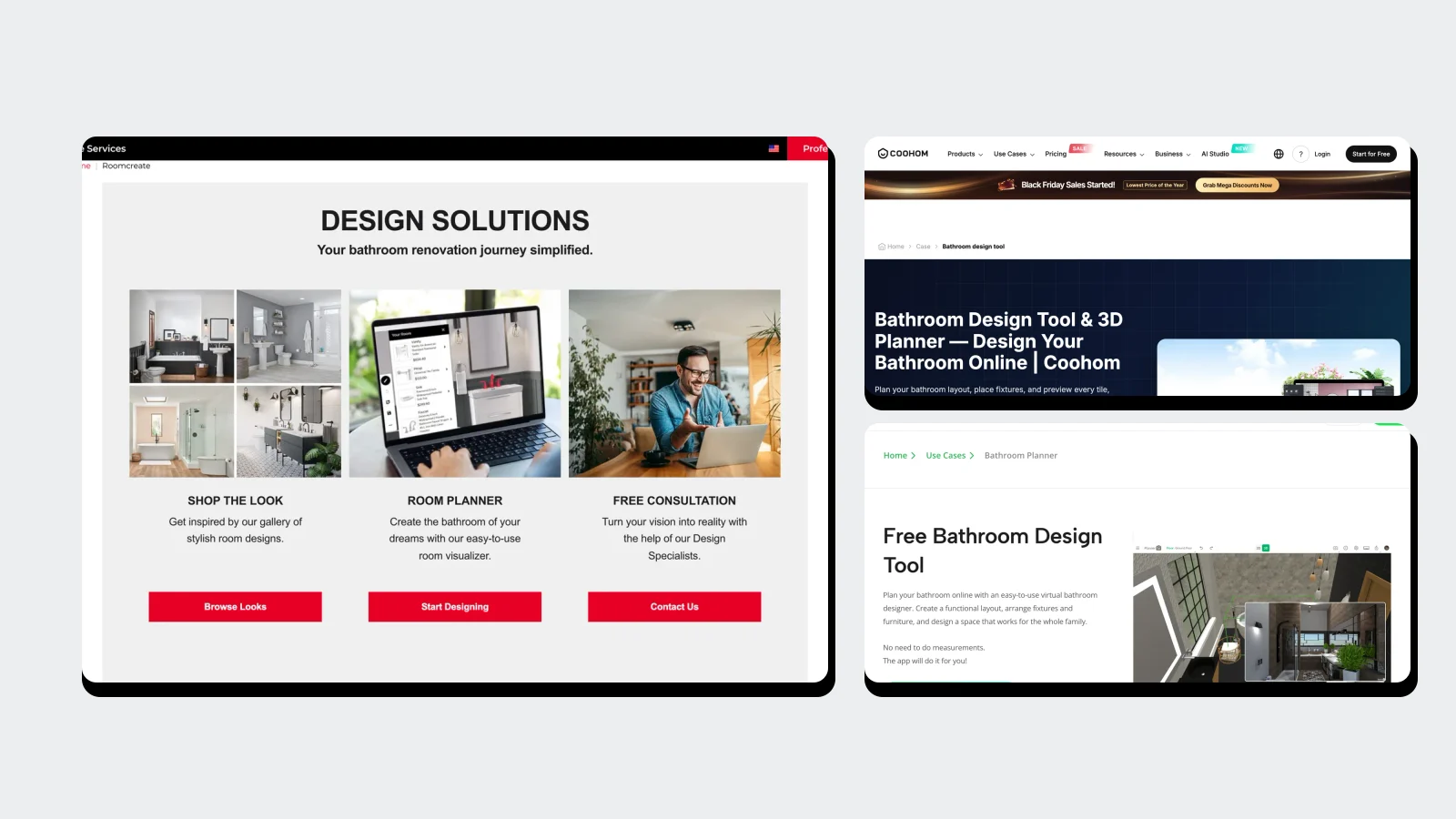
The best free bathroom design software depends on the job: Coohom and Homestyler for a full 3D bathroom in the browser, and Planner 5D if you want the measurements done for you. To see your current bathroom restyled from one photo instead of modeling it, MeltFlex AI does that in the browser, though it restyles a photo and gives you no fixture layout, plumbing rough-in or clearances.
The fuller picture: Coohom, Homestyler and Sweet Home 3D cost nothing, American Standard RoomCreate visualizes real fixtures you can buy, RoomSketcher adds measured plans, and Cedreo is the professional pick.
“Bathroom design software” covers two jobs. Some tools lay out the room as geometry, with the toilet, vanity, shower and bath you can size and place; others let you visualize finishes on an existing space without building anything.
The US Bureau of Labor Statistics notes that “most interior designers use computer-aided design (CAD) software for most of their drawings.” We compared eight tools on who they are for, how hard they are to learn, what they cost and where they fall short, with every price read on 27 November 2026.
The short version
- Easiest free browser designers: Coohom and Homestyler.
- Does the measurements for you: Planner 5D.
- Best free open source: Sweet Home 3D.
- Real fixtures you can buy: American Standard RoomCreate.
- Measured plans free: RoomSketcher, with Cedreo for pros.
- No modeling, just a photo: MeltFlex AI in the browser.
- Want whole rooms or a kitchen instead? See our 3D interior design software and kitchen design software guides.
What Is the Best Bathroom Design Software in 2026?
The best free tool is the one that matches what you are doing. Planning a new bathroom layout points you at Coohom, Planner 5D or Sweet Home 3D; shopping for real fixtures points at a brand visualizer like American Standard RoomCreate; and just wanting to see a new look points at an AI restyle.
These are the eight tools, with the price each vendor showed on 27 November 2026. Coohom, Planner 5D and Homestyler were running Black Friday promotions that day; the regular price is the one quoted.
| Software | Best for | Runs on | Price |
|---|---|---|---|
| MeltFlex AI | Restyling a real bathroom from one photo, in the browser, with no modeling | Browser | First design free; paid plans billed monthly or yearly |
| Coohom | A free browser designer with real fixtures, measurements and 4K renders | Browser | Free; paid plans |
| Planner 5D | Easy drag-and-drop bathroom design that does the measurements for you | Web, Windows, macOS, iOS, Android | Free; Premium $59.99/yr |
| Homestyler | A free browser tool with a huge branded furniture catalog and cloud renders | Browser, iOS, Android | Free; paid plans |
| Sweet Home 3D | Free, open-source plan-and-furnish work with a 3D view | Windows, macOS, Linux, iOS, Android, web | Free, open source |
| American Standard RoomCreate | Visualizing a bathroom with real American Standard fixtures you can shop | Browser | Free |
| RoomSketcher | Measured 2D and 3D bathroom floor plans with polished visuals | Browser, Windows, macOS | Free tier; Pro $144/yr |
| Cedreo | Professionals drawing a whole house, bathroom included, with fast renders | Browser | Free plan; Pro $79/mo billed yearly |
Source: Coohom, Planner 5D, Homestyler, Sweet Home 3D, American Standard, RoomSketcher and Cedreo product and pricing pages, plus the MeltFlex AI site, all read 27 November 2026. Prices are what each vendor showed that day.
The list splits three ways, and which group you want is the first decision:
- General design tools that lay out and furnish any bathroom: Coohom, Planner 5D, Homestyler, Sweet Home 3D, RoomSketcher and Cedreo.
- Brand visualizers that build a bathroom from fixtures you can order: American Standard RoomCreate.
- MeltFlex AI, which models nothing; it restyles a photograph of the bathroom you already have.
What Is Bathroom Design Software, and Who Is It For?
Bathroom design software lets you plan a bathroom before anyone moves a pipe: lay out the toilet, vanity, shower and bath, try tiles and finishes, and see the result in a lit 3D view. The point is to decide how the room will look and work before you commit.
A brand visualizer like American Standard RoomCreate ties the fixtures to products you can buy. A general tool like Coohom or Sweet Home 3D lets you model any bathroom, with any brand of fixture, but does not price the parts.
It overlaps two neighbors. If you want the whole home in 3D rather than just the bathroom, see our 3D interior design software guide; if you want measured 2D layouts, see the floor plan software guide.
The 8 Tools, Reviewed
Each entry lists what the tool is best for, where it runs, what it costs and where it falls short. MeltFlex AI comes first because it answers the most common early question in a minute: what would this bathroom look like with a change?
1. MeltFlex AI: Restyle Your Real Bathroom From One Photo
Best for: Restyling a real bathroom from one photo, in the browser, with no modeling · Runs on: Browser · Price: First design free; paid plans billed monthly or yearly
MeltFlex AI is a browser tool that restyles a photograph of a real room. You upload a picture of your bathroom, describe the change in plain language (new tiles, a different vanity, a whole new look) and it returns a photoreal version.
The site says to “upload a photo of any room, choose a style, and see the result in about 20 seconds,” and that your “first MeltFlex design is free and needs no credit card.”
There is nothing to model: it reads the geometry and light in the photo and reworks it. Bathroom is one of its named room tools, alongside kitchen, bedroom and office.
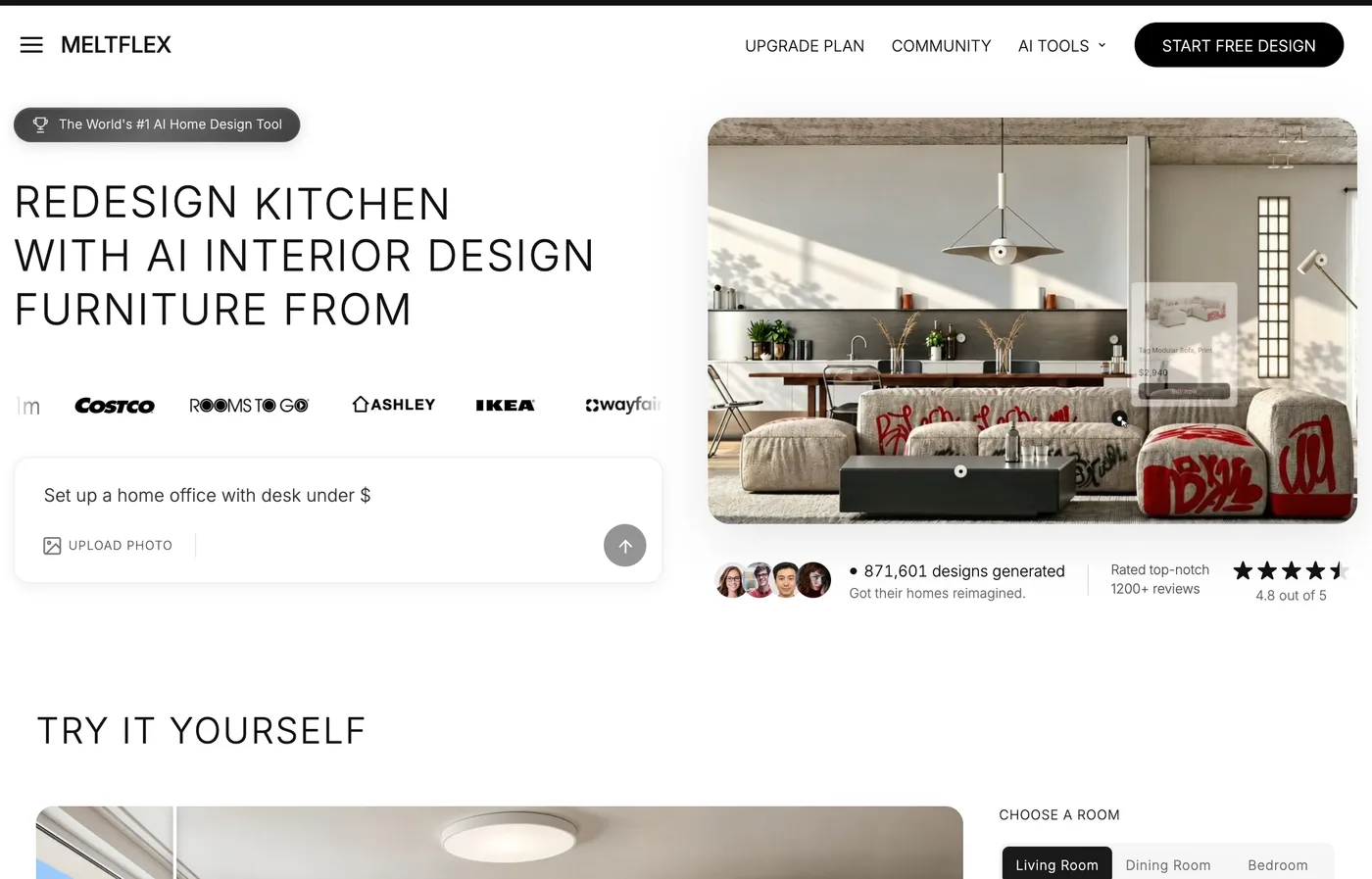
Where it falls short: it restyles a photo rather than building a measured model, so it cannot give you a fixture layout, a plumbing rough-in, clearances or a price, and it needs an existing photo of the room.
2. Coohom: A Free Browser Designer With Real Fixtures
Best for: A free browser designer with real fixtures, measurements and 4K renders · Runs on: Browser · Price: Free; paid plans
Coohom is a free browser-based bathroom designer. Its page says you can “plan your bathroom layout, place fixtures, and preview every tile, vanity and fixture in photorealistic 3D — all in your browser, no download, fully free to start.” You drag walls, type exact dimensions or upload an existing 2D plan.
It leans on scale: a “1M+ Real-Product Library” of fixtures and materials from major manufacturers, with 4K cloud rendering, and it is “free to use with no credit card required” and no time limit on the core workflow.
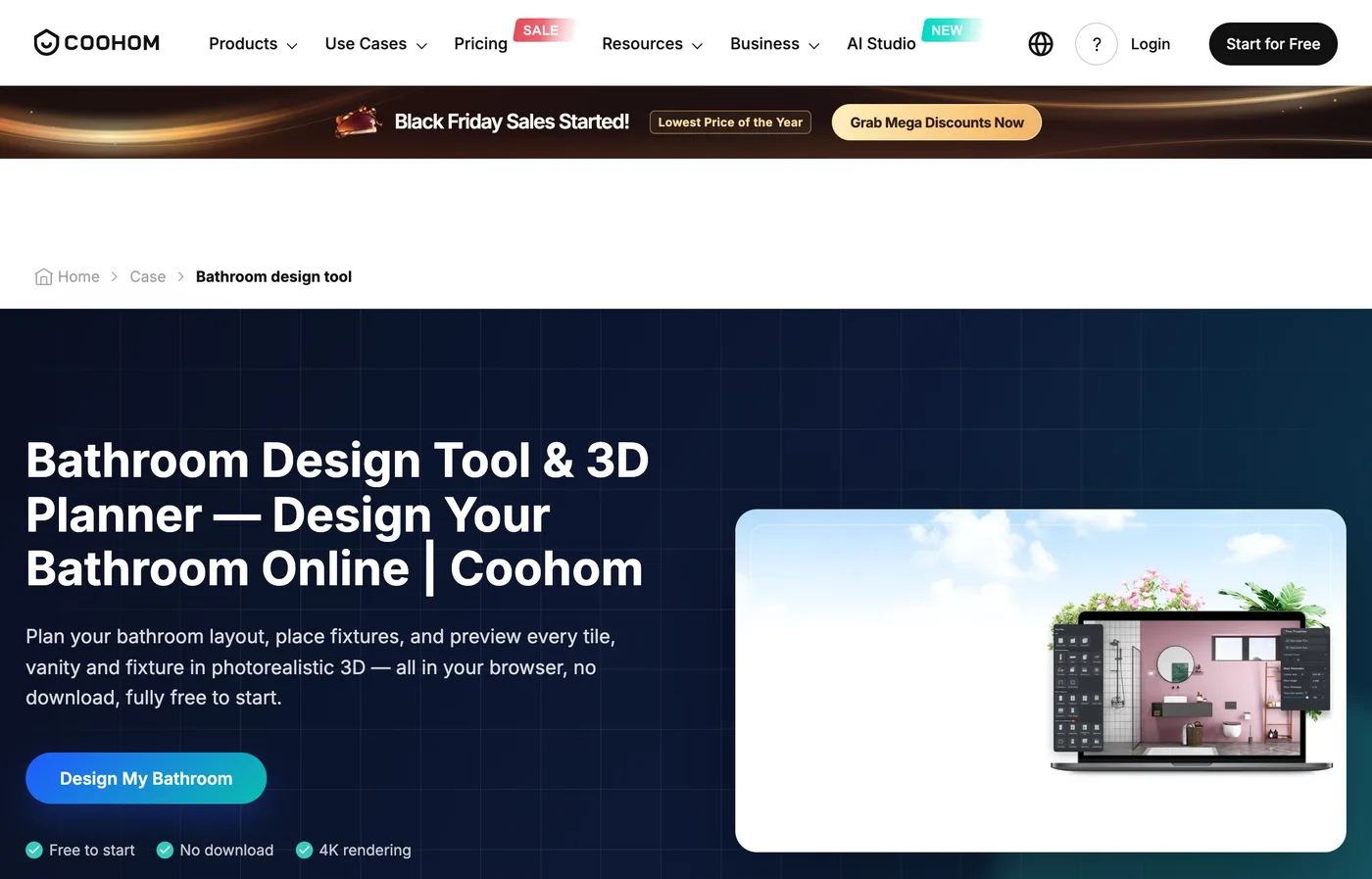
Where it falls short: the best output and team collaboration are metered on paid plans, and the huge catalog and feature set make it heavier to learn than a single-purpose planner.
3. Planner 5D: Easy Design That Does the Measuring for You
Best for: Easy drag-and-drop bathroom design that does the measurements for you · Runs on: Web, Windows, macOS, iOS, Android · Price: Free; Premium $59.99/yr
Planner 5D is the beginner’s tool: a drag-and-drop “easy-to-use virtual bathroom designer” in a browser or app. You create a functional layout, arrange fixtures and furniture, switch between 2D and 3D, and render the result.
Its selling point for a bathroom is automation: “No need to do measurements. The app will do it for you.” The free plan covers the core editor; Premium is $59.99 a year (or $19.99 a month), and Professional is $399.99 a year.
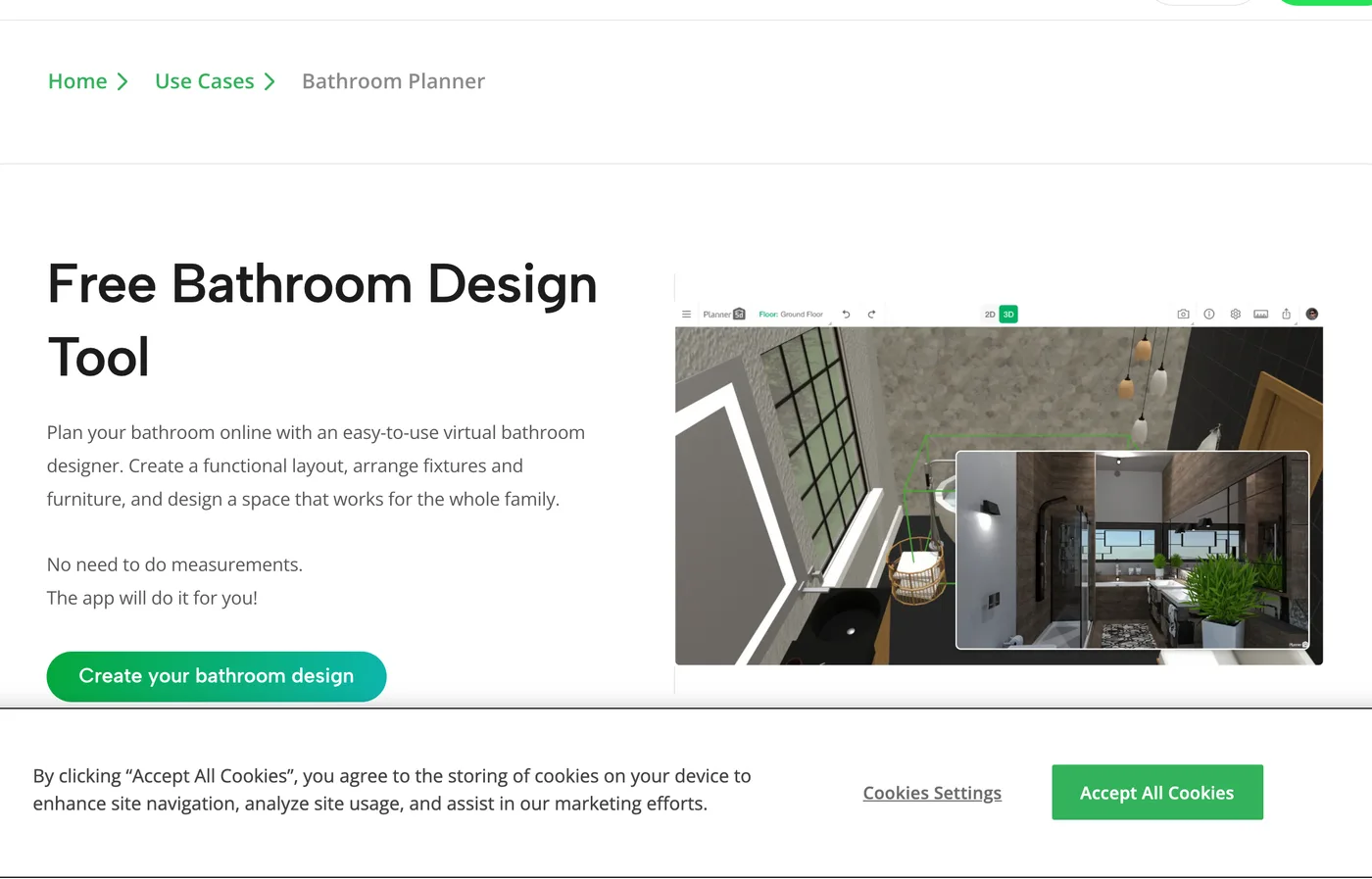
Where it falls short: the ease comes from limits, so it is less precise than a CAD tool, and the best renders and the full catalog sit behind Premium.
4. Homestyler: A Free Browser Tool With a Huge Catalog
Best for: A free browser tool with a huge branded furniture catalog and cloud renders · Runs on: Browser, iOS, Android · Price: Free; paid plans
Homestyler is a free browser-based home design tool that leans on scale: it advertises “Free 3D Home Design Software” with “over 10 million branded 3D furniture models” and one-click cloud rendering.
You draw or upload a plan, drop in the vanity, shower and fixtures, and render it. It runs on the web and on iOS and Android, and ships bathroom templates among its presets.
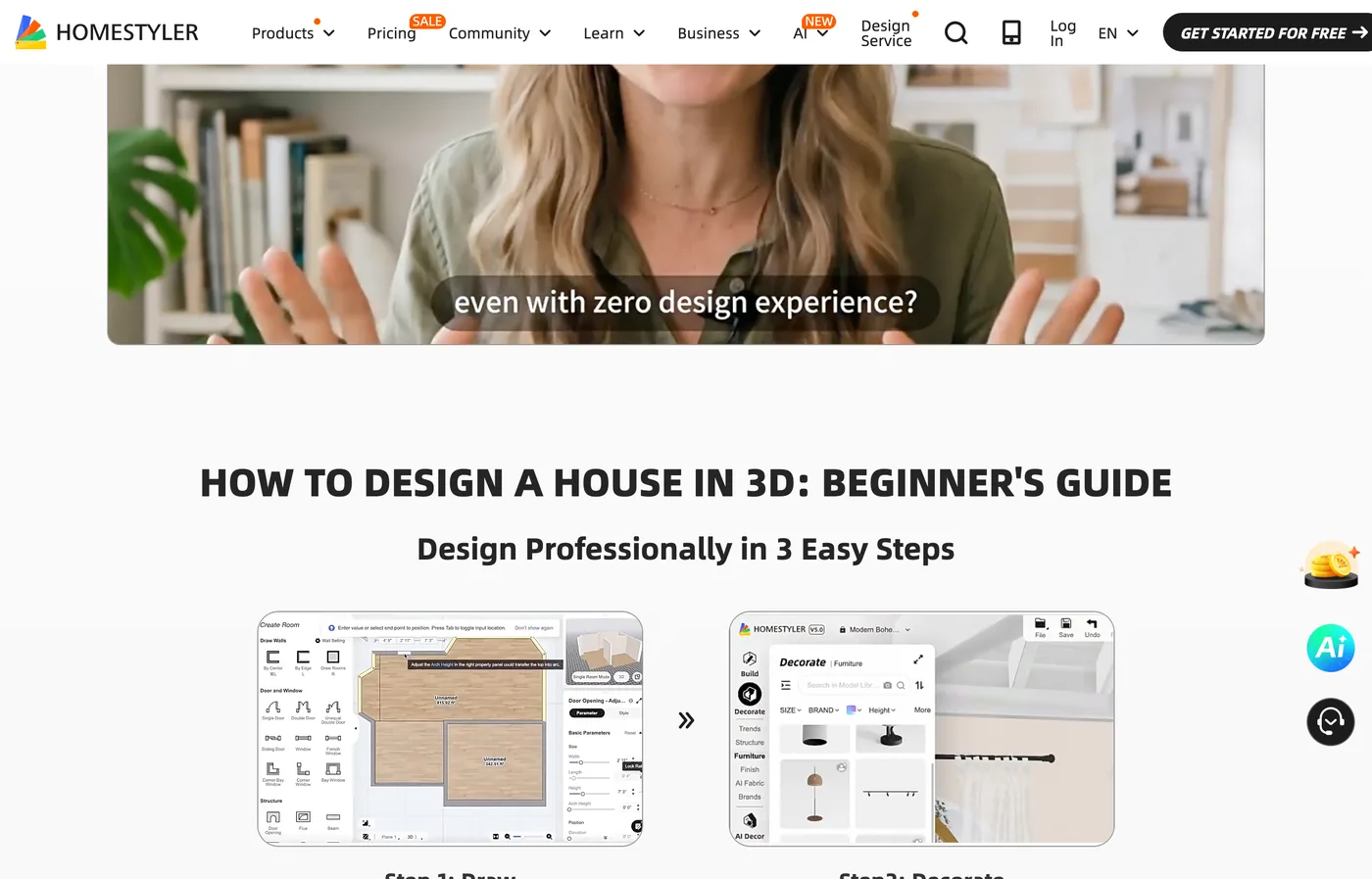
Where it falls short: the free tier is generous but higher-resolution cloud renders are metered on paid plans, and like the other general tools it gives you no fixture price or parts list.
5. Sweet Home 3D: Free, Open-Source Plan and Furnish
Best for: Free, open-source plan-and-furnish work with a 3D view · Runs on: Windows, macOS, Linux, iOS, Android, web · Price: Free, open source
Sweet Home 3D is “a free interior design application which helps you draw the plan of your house, arrange furniture on it and visit the results in 3D.” It is open source under the GNU GPL and runs on Windows, macOS, Linux, mobile and in a browser.
It ships with “over 10000 models, 400 textures already included,” so you can lay out a bathroom and furnish it without paying anything.
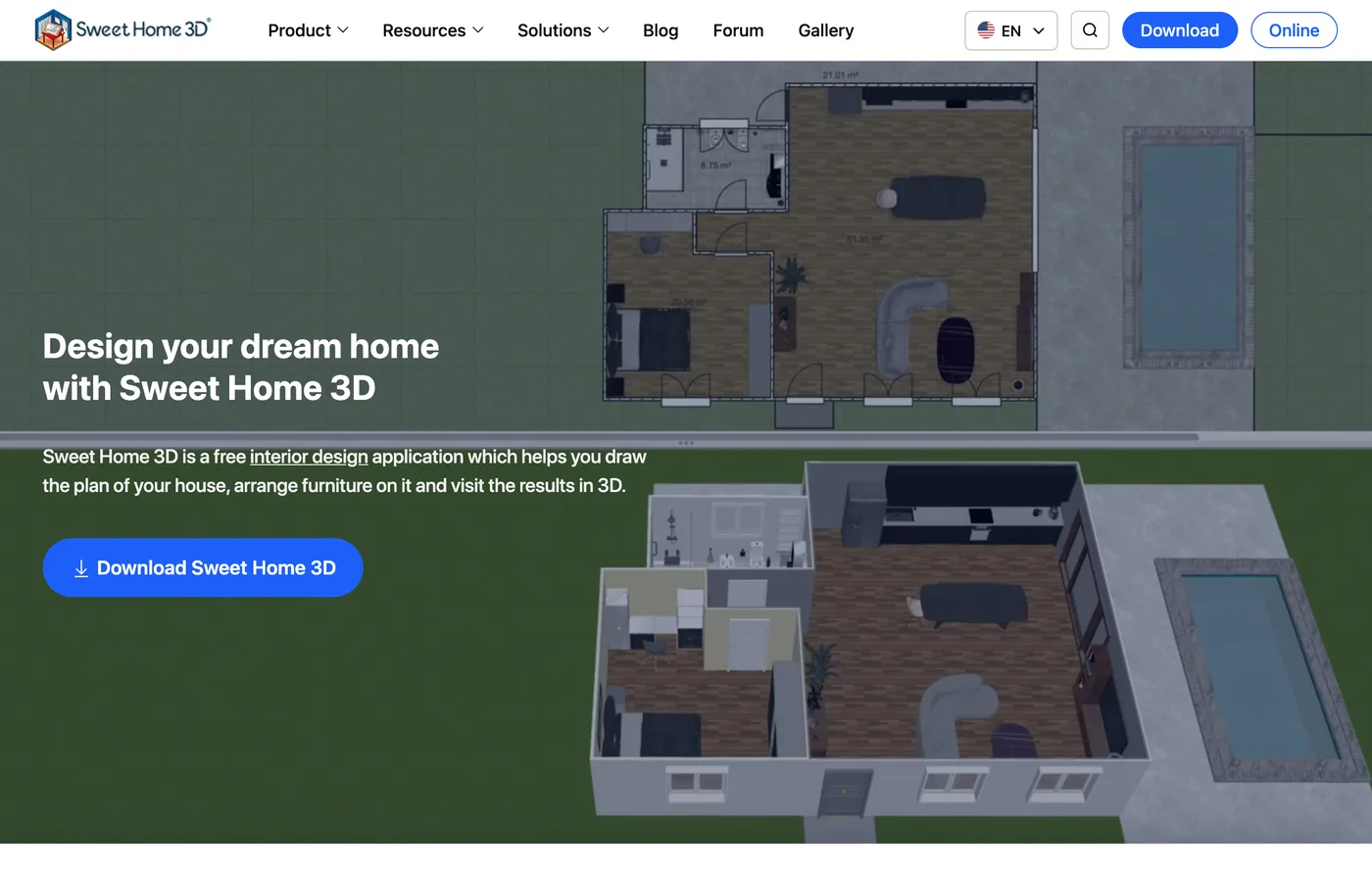
Where it falls short: it looks and feels like the older desktop software it is, and its renders are a long way from the browser tools above. It is best for layout and furnishing rather than a glossy client image.
6. American Standard RoomCreate: Visualize Real Fixtures You Can Shop
Best for: Visualizing a bathroom with real American Standard fixtures you can shop · Runs on: Browser · Price: Free
American Standard RoomCreate is a free brand tool built around one question a remodel raises: what will it look like with real products? The page calls it a “Free Virtual Bathroom Design Tool and Planner (3D Tool)” and an “easy-to-use room visualizer” to “create the bathroom of your dreams.”
It uses “photorealistic and interactive renderings,” and each look is “interactive and shoppable,” so you place real American Standard fixtures, see a price on each, and save or download the result.
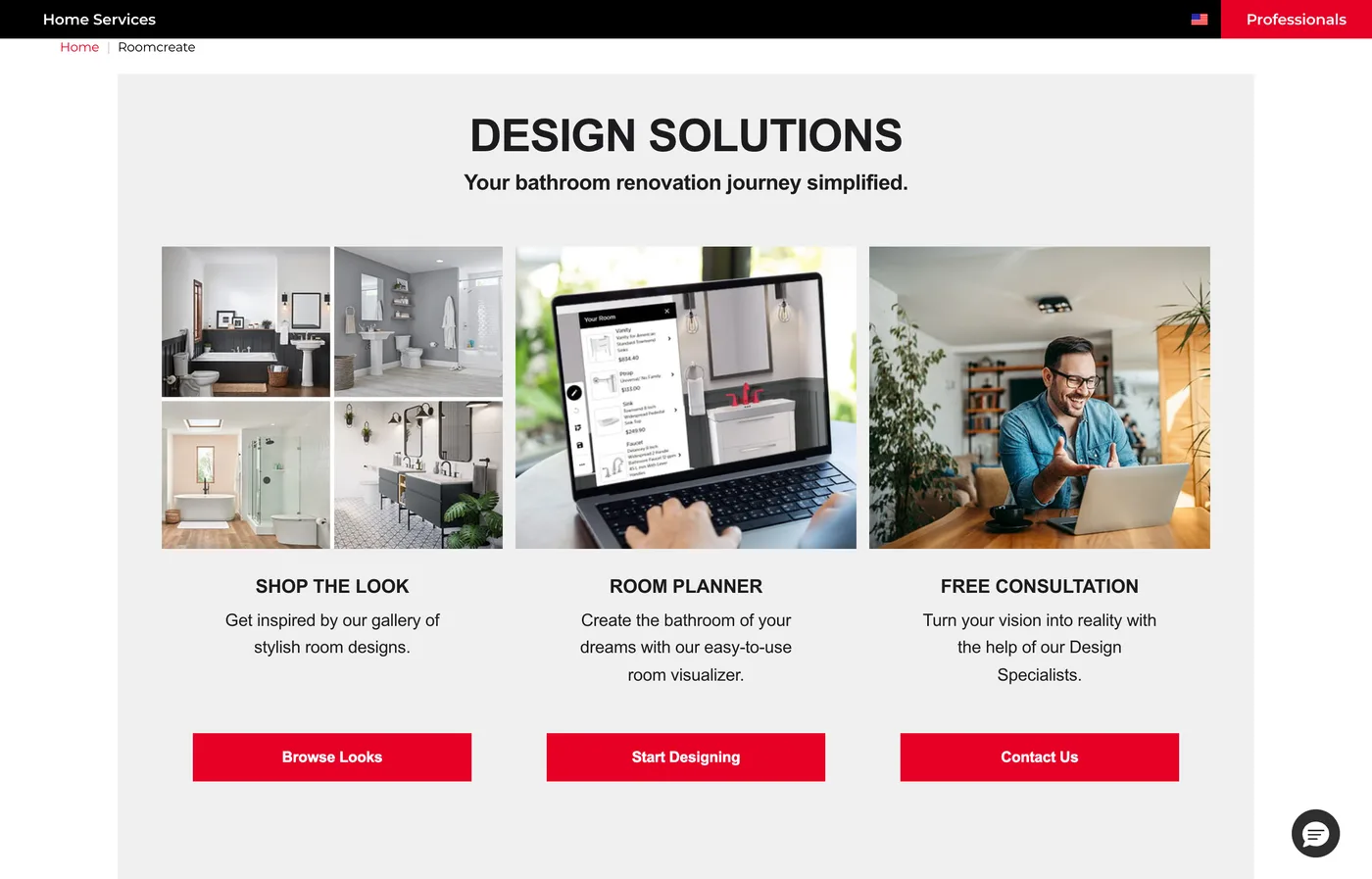
Where it falls short: it is built around American Standard’s own products, so it is a buying tool for one brand rather than a neutral designer.
7. RoomSketcher: Measured 2D and 3D Bathroom Plans
Best for: Measured 2D and 3D bathroom floor plans with polished visuals · Runs on: Browser, Windows, macOS · Price: Free tier; Pro $144/yr
RoomSketcher makes “professional floor plans in minutes” and polished 3D visuals. For a bathroom it is the pick when you want a measured plan you can dimension, not just a pretty render, and it leans on AI to speed up drawing.
The free tier includes 2D and 3D floor plans, 3D Snapshots and an AI render with two starter credits. Pro is $12 a month billed yearly ($144 a year) or $24 a month, adding five monthly credits and the full furniture library.
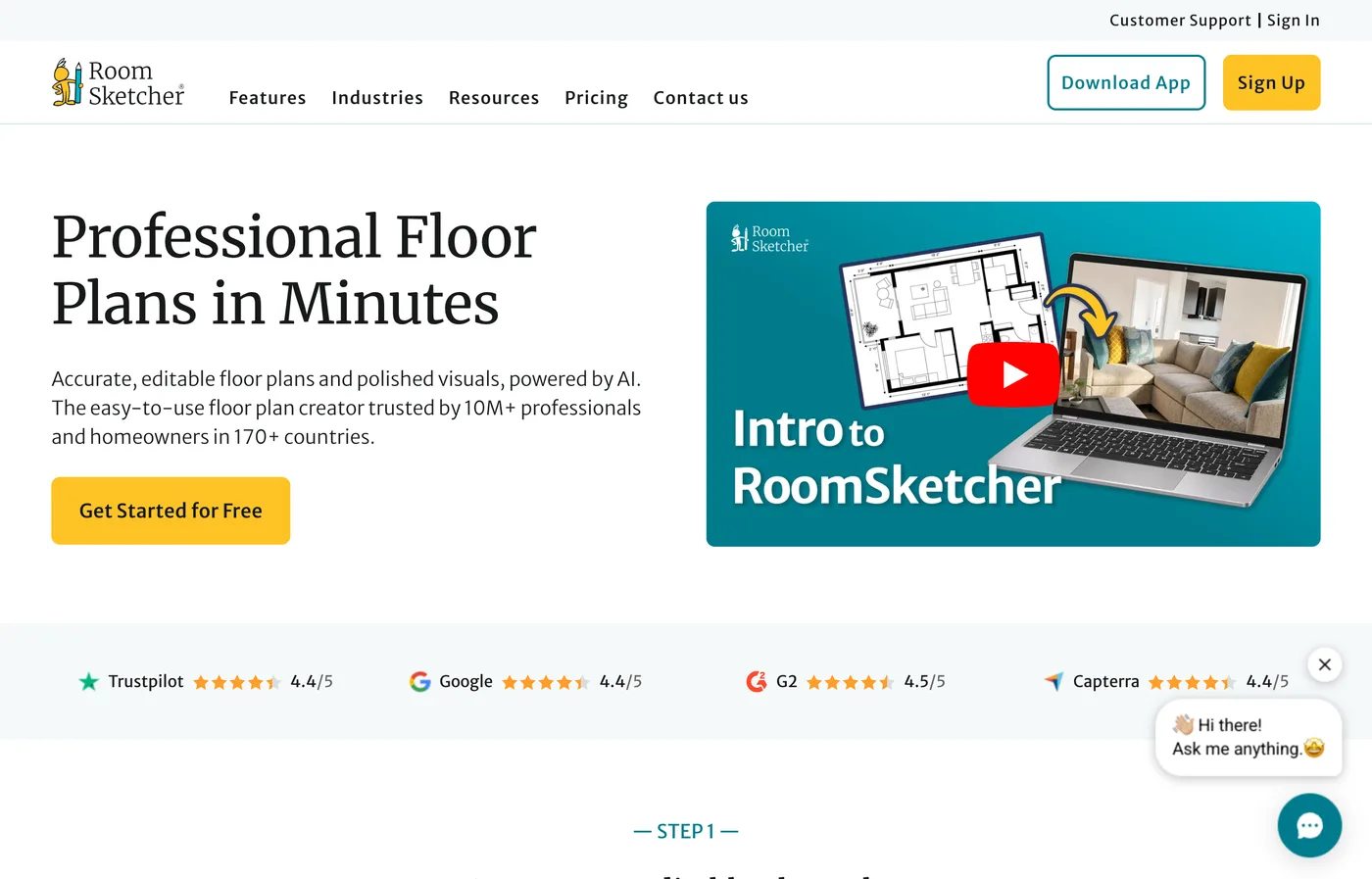
Where it falls short: the best output is metered by credits on paid plans, and it is a general floor-plan and visuals tool rather than a bathroom-specific designer with fixture catalogs.
8. Cedreo: A Pro Tool With a Free Plan to Start
Best for: Professionals drawing a whole house, bathroom included, with fast renders · Runs on: Browser · Price: Free plan; Pro $79/mo billed yearly
Cedreo is “the only 3D home design software to draw a complete house in just 2 hours,” aimed at home builders and remodelers who design whole houses, bathroom included, and need fast client renders.
A free plan covers one user and one project with basic floor plans. Pro is $79 a month billed yearly (or $129 month to month) for unlimited projects and 40 renderings a month; a one-time Personal license is $139.
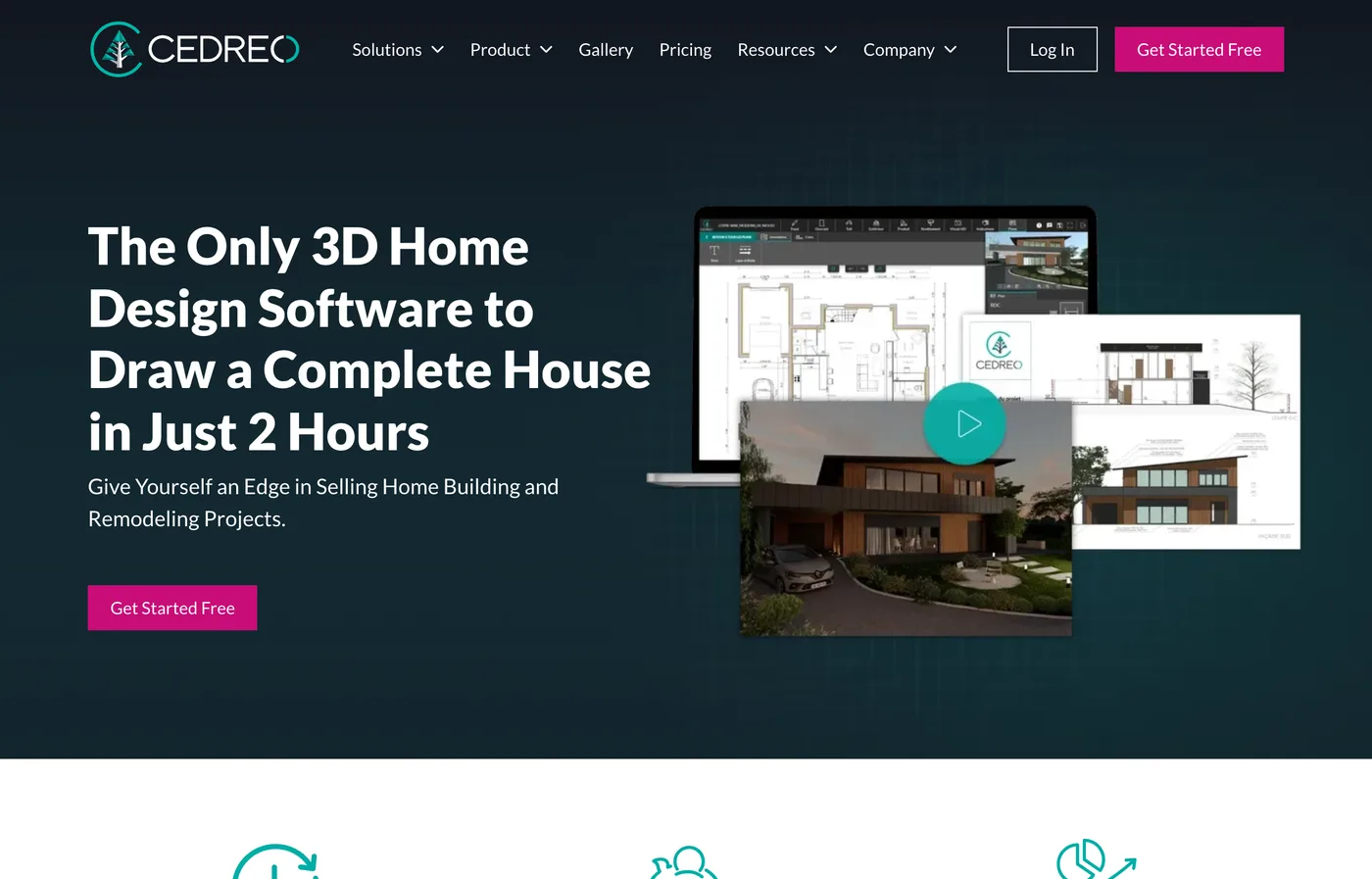
Where it falls short: the free plan is a taster, the real work needs a Pro subscription, and it designs whole homes rather than specializing in bathrooms the way a fixture-catalog tool does.
How Do You Design a Bathroom Layout, Step by Step?
The flow is the same in almost every tool. Measure the room and set the walls, place the toilet, vanity, shower and bath against the plumbing wall, add storage and lighting, then try tiles, finishes and colors and switch to 3D to check it.
If you are starting with a free planner, this short walkthrough shows the 2D-to-3D flow in Planner 5D, one of the free tools above, turning a bathroom plan into a 3D layout:
Is Free Bathroom Design Software Really Free?
Free bathroom design is real, but each free route draws a line somewhere. Here is what you get for nothing, and the catch in each:
| Free option | What you get free | The catch |
|---|---|---|
| Coohom | Full 2D/3D design, a 1M+ product library and 4K renders | Team and advanced features on paid plans |
| Planner 5D | Free plan with 2D/3D and automatic measurements | Best renders and full catalog need Premium ($59.99/yr) |
| Homestyler | Browser design with 10M+ models and cloud renders | Higher-res renders metered on paid plans |
| Sweet Home 3D | Open-source plan-and-furnish, 10,000+ models | Dated interface; basic renders |
| American Standard RoomCreate | Visualize real fixtures, save and download | American Standard products only; a brand buying tool |
| MeltFlex AI | First restyle of a real bathroom from a photo | Restyles a photo, not a measured plan |
Source: Each vendor's homepage or pricing page, read 27 November 2026.
None is a crippled demo. Our free architecture software guide goes through what every free plan, trial and education license includes across design, CAD and rendering.
What Bathroom Design Software Do Professionals Use?
Professional bathroom work splits between whole-home design tools and dedicated kitchen-and-bath software. For whole-home projects, Cedreo runs on a subscription at $79 a month billed yearly, and Chief Architect is common for residential remodels (see our 3D interior design guide).
Specialist kitchen-and-bath designers tend to use catalog-driven desktop software that ties each fixture to a real product and parts list. The dividing line is the manufacturer catalog and the priced order it produces.
So many bathrooms are designed twice: a free tool or an AI restyle to agree the look, then a pro tool or the supplier’s own system to produce the priced order and the installation drawings.
Can You Redesign a Bathroom Without Learning Software?
AI shows up two ways. Coohom, Planner 5D and Homestyler add AI inside the designer to suggest a layout or speed a render, which still leaves you building the bathroom.
The second way skips modeling. MeltFlex AI takes a photo of your real bathroom and restyles it from a plain-language prompt, returning a photoreal image in about 20 seconds, the first design free, because it reasons about the geometry and light already in the picture.
The honest limit: it restyles an image, it does not build a measured model, so it sits before the planning tools, not instead of them. The same team makes AIBIM Tool (a brief to a first BIM model) and TechDraw AI (a photo to a dimensioned drawing), both in our AI tools guide.
How Much Does Bathroom Design Software Cost?
Bathroom design software runs from free to a professional subscription. Here is what each tool cost on 27 November 2026, cheapest first, with the free and open-source tools at the top.
| Software | Price | Notes |
|---|---|---|
| Sweet Home 3D | Free | Open source (GNU GPL); plan, furnish and view in 3D; over 10,000 models and 400 textures |
| American Standard RoomCreate | Free | Brand visualizer; photorealistic, interactive and shoppable American Standard fixtures; save and download |
| Coohom | Free; paid plans | A 1M+ real-product library and 4K cloud renders free; team and advanced features on paid plans |
| Homestyler | Free; paid plans | Over 10 million branded models and one-click cloud rendering free; higher-res renders on paid tiers |
| MeltFlex AI | First design free; paid plans monthly or yearly | Restyle a photo; paid plans add more designs and higher-resolution downloads |
| RoomSketcher | Free tier; Pro $144/yr | Pro $12/mo billed yearly or $24/mo; 5 credits a month, 3D Snapshots and AI renders |
| Planner 5D | Free; Premium $59.99/yr | Or $19.99/mo; Professional $399.99/yr; unlimited HD renders on the paid tiers |
| Cedreo | Free plan; Pro $79/mo billed yearly | $129/mo month to month; Personal $139 one-time; 40 renderings a month on Pro |
Source: Coohom, Planner 5D, Homestyler, Sweet Home 3D, American Standard, RoomSketcher and Cedreo product and pricing pages, plus the MeltFlex AI site, all read 27 November 2026. Prices are what each vendor showed that day.
Free browser and open-source tools sit at the bottom, consumer apps cost tens of dollars a year, and pro subscriptions such as Cedreo run $79 a month and up at the professional end.
How to Choose: Five Questions Before You Start
Five questions settle most of it:
- Are you buying from one brand? If it is American Standard, use their RoomCreate visualizer: it shows real fixtures you can order.
- Do you want any brand of fixture? Then a general tool: Coohom or Homestyler to design, Sweet Home 3D for free and open.
- Do you want the measuring done for you? Planner 5D fills in dimensions automatically as you draw.
- Do you need a measured plan? RoomSketcher for dimensioned 2D and 3D, or Cedreo for whole-home pro work.
- Do you just want to see a new look? If you have a photo and want the look, not a model, MeltFlex AI is the quickest answer.
Frequently Asked Questions
What is the best free bathroom design software in 2026?
There is no single best one. Coohom and Homestyler are the easiest free browser designers for a bathroom in 3D, Planner 5D adds automatic measurements, Sweet Home 3D is the open-source pick, and American Standard RoomCreate visualizes real fixtures you can buy. To restyle an existing bathroom from a photo, MeltFlex AI does that, the first design free.
Can I design a bathroom for free online without downloading anything?
Yes. Coohom, Planner 5D, Homestyler and American Standard RoomCreate all run in a browser at no cost, and Sweet Home 3D has an online version too. You draw the room, place the toilet, vanity, shower and bath, and see it in 3D.
Is there a free virtual bathroom designer?
Yes. Coohom is free with no credit card and no time limit, Planner 5D has a free plan that does the measurements for you, and brand tools like American Standard RoomCreate are free. The catch is that free tiers usually meter the best renders or tie you to one brand’s products.
What bathroom design software do professional designers use?
Professionals split between whole-home design tools and dedicated kitchen-and-bath software. For whole-home work, Cedreo is a subscription option at $79 a month billed yearly, and Chief Architect is common for residential remodels. Specialist bathroom designers tend to use catalog-driven desktop software that ties each fixture to a priced, orderable product.
Can I redesign a bathroom without learning any software?
MeltFlex AI restyles a photo of your real bathroom from a plain-language request and returns a photoreal version, the first design free, so you model nothing. The limit is that it restyles a photo rather than building a measured layout, so it gives no fixture plan, plumbing rough-in or clearances.
How much does bathroom design software cost?
From nothing to a professional subscription. Coohom, Homestyler, Sweet Home 3D and American Standard RoomCreate are free, Planner 5D Premium is $59.99 a year, RoomSketcher Pro is $144 a year and Cedreo Pro is $79 a month billed yearly.
Sources
All prices were read on the vendors’ own pages on 27 November 2026; MeltFlex AI, AIBIM Tool and TechDraw AI are made by the team behind this site, and no other vendor paid to be listed.
- Coohom
- Planner 5D
- Homestyler
- Sweet Home 3D
- American Standard RoomCreate
- RoomSketcher
- Cedreo
- US Bureau of Labor Statistics, Occupational Outlook Handbook: Interior Designers
- Planner 5D, “Upload a Bathroom Plan and Instantly Get a 3D Layout in Seconds” (YouTube)
Related: our guide to the best software for architects, 3D interior design software, kitchen design software and the selection method.
Found a price that changed? Write to info@meltflexai.com and we will correct it and the date.